Guide · 7 min read · · by Arjun Jhukal
Headless CMS explained in simple words, for business owners
A headless CMS keeps the place you edit separate from the site your customers see. Here is what that means, why it is fast, and when it is overkill.
If you have spoken to a web developer recently, you may have heard the phrase headless CMS. It sounds like something from a horror film. It is actually a simple idea, and once you understand it, you will understand why many fast websites are built this way.
This guide explains what a headless CMS is in plain words, how it works, why it pairs so well with Next.js, and when your business needs one. If the word CMS itself is new to you, start with what a CMS is, then come back.
A headless CMS in one sentence
A headless CMS is a back office that stores your content (pages, products, trips, articles) and hands it to a separate website, instead of being the website itself.
The "head" is the website your visitors see. A headless CMS has no head of its own. It keeps the content safe and organised, and a separate front end, usually built with Next.js, shows that content to the world.
A simple picture: the kitchen and the dining room
Think of a restaurant in Thamel. The dining room is your website: tables, menus, the part guests see. The kitchen is the CMS: where the food is made. In a small restaurant, the cook may also serve the tables. That works until it gets busy.
A headless setup is a restaurant with a proper kitchen and separate serving staff. The kitchen only cooks; the servers only serve. The dining room can be redesigned without touching the stoves, and the kitchen can send the same dish to the dining room, to a delivery rider, or to a catering order across town.
How a traditional CMS works
A traditional CMS, like a normal WordPress site, is both kitchen and dining room in one. You edit in its dashboard, and the same system builds the pages visitors see, using a theme.
That is simple and works well for many sites. I build WordPress sites for exactly those cases. The limits show up later: the look is tied to the theme, features come from plugins that must all get along, and every visit can make the system build the page again, which slows down busy sites.
How a headless CMS works, step by step
- Your staff log in to the dashboard and edit content: a new product, a new trip, a price change.
- The CMS saves it in a database, the store room where everything is kept.
- The website asks the CMS for content when it needs it, through a connection developers call an API. Think of it as the window between kitchen and dining room.
- The website builds the page in advance, using its own design, and keeps the finished page ready.
- A visitor arrives and gets the finished page straight away.
- When you edit again, the changed pages are refreshed.
From your side, nothing about this feels complicated. You edit in a dashboard, press save, and the site updates. The separation happens behind the scenes.
A quick example. A trekking agency in Pokhara adds a new departure date for the Annapurna Base Camp trek. The office manager opens the trip in the dashboard, adds the date and saves. The trip page on the public website is refreshed with the new date, still pre-built and still fast. She never touched the website itself, and the developer never heard about it. That is the whole point: content is your team's job, and the website takes care of showing it.
Why businesses choose a headless CMS
- Speed. Pages are pre-built, so they load fast on a phone, even on mobile data.
- Freedom of design. The front is built for your brand, not squeezed into a theme.
- Fewer plugins. Features are built into the system, so there is no pile of add-ons fighting each other.
- Safety. Visitors only see finished pages; the back office is not the public site.
- One content, many screens. The same content can feed a website, an app or a screen on a live stream.
- Google-friendly. Pages arrive complete, with titles, descriptions and sitemaps from the SEO toolkit.
Headless CMS and Next.js: why they pair so well
A headless CMS needs a front end to show its content. Next.js is one of the most popular choices because it is good at exactly the job a headless setup needs: fetching content, pre-building pages and serving them fast.
Next.js checks the boxes Google cares about, the Core Web Vitals: does the main content show quickly, does the page react when tapped, and does it stay still while loading. A headless CMS paired with Next.js gives you a strong start on all three. For how this compares with a single WordPress site, read Next.js vs WordPress.
Blocks: editing a headless site without code
Owners often worry that headless means "only developers can change it". It should not. A good headless CMS gives your team a page builder too.
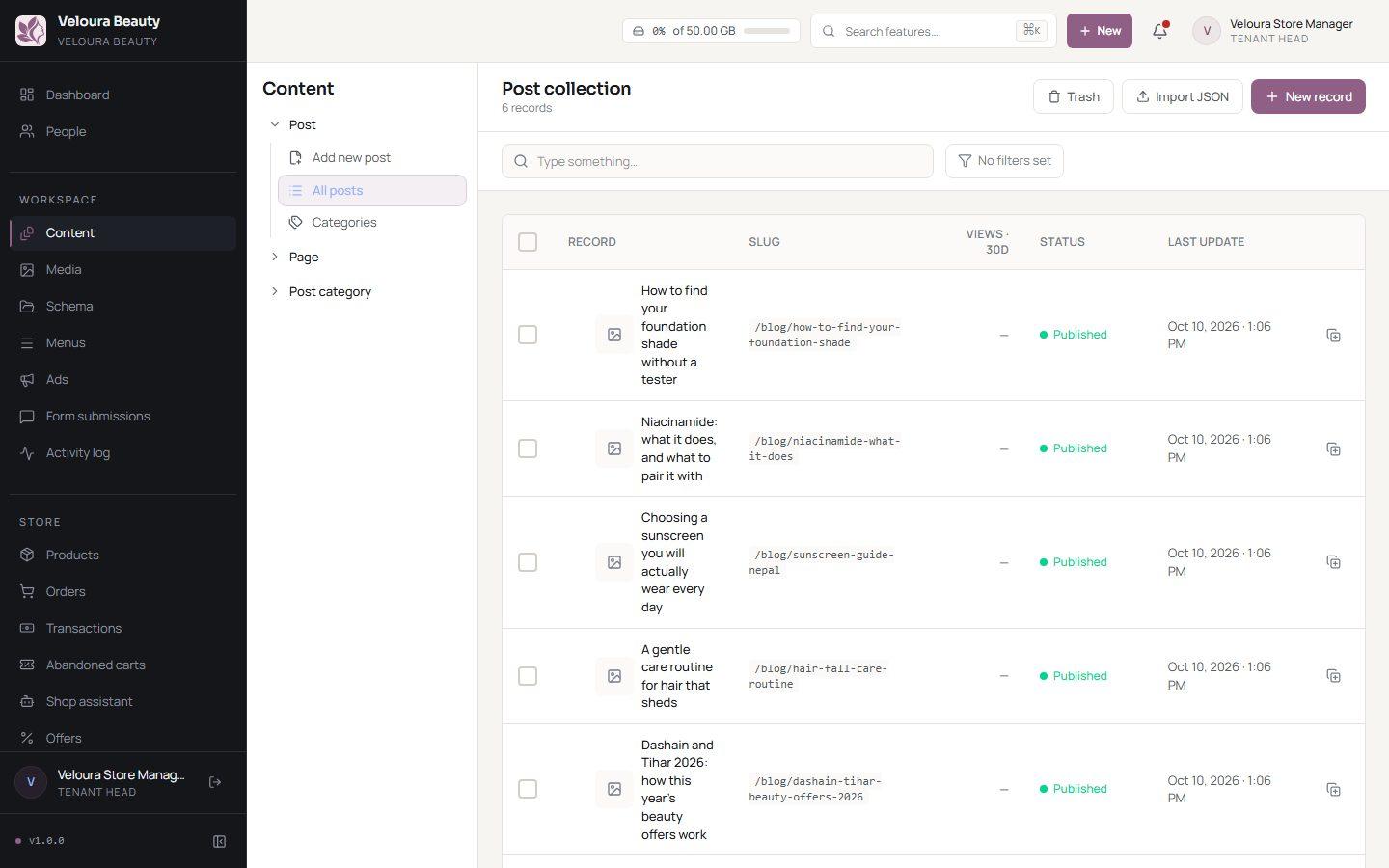
In Next CMS, every page is a stack of blocks: a banner, a gallery, a product rail, an FAQ, a call to action. Your team adds, reorders and fills them from the dashboard using the block page builder. There are more than 40 blocks, each designed once and tested on phones, so a new Dashain sale page or spring trek offer goes live without a developer and without breaking the design.
It also lets you define your own content types. A trekking agency gets "Trips" with a day-by-day itinerary. A wedding planner gets "Packages" with inclusions and add-ons. A store gets products with variants and filters. Each type appears in the dashboard as a form your staff fill in.
One content, many screens
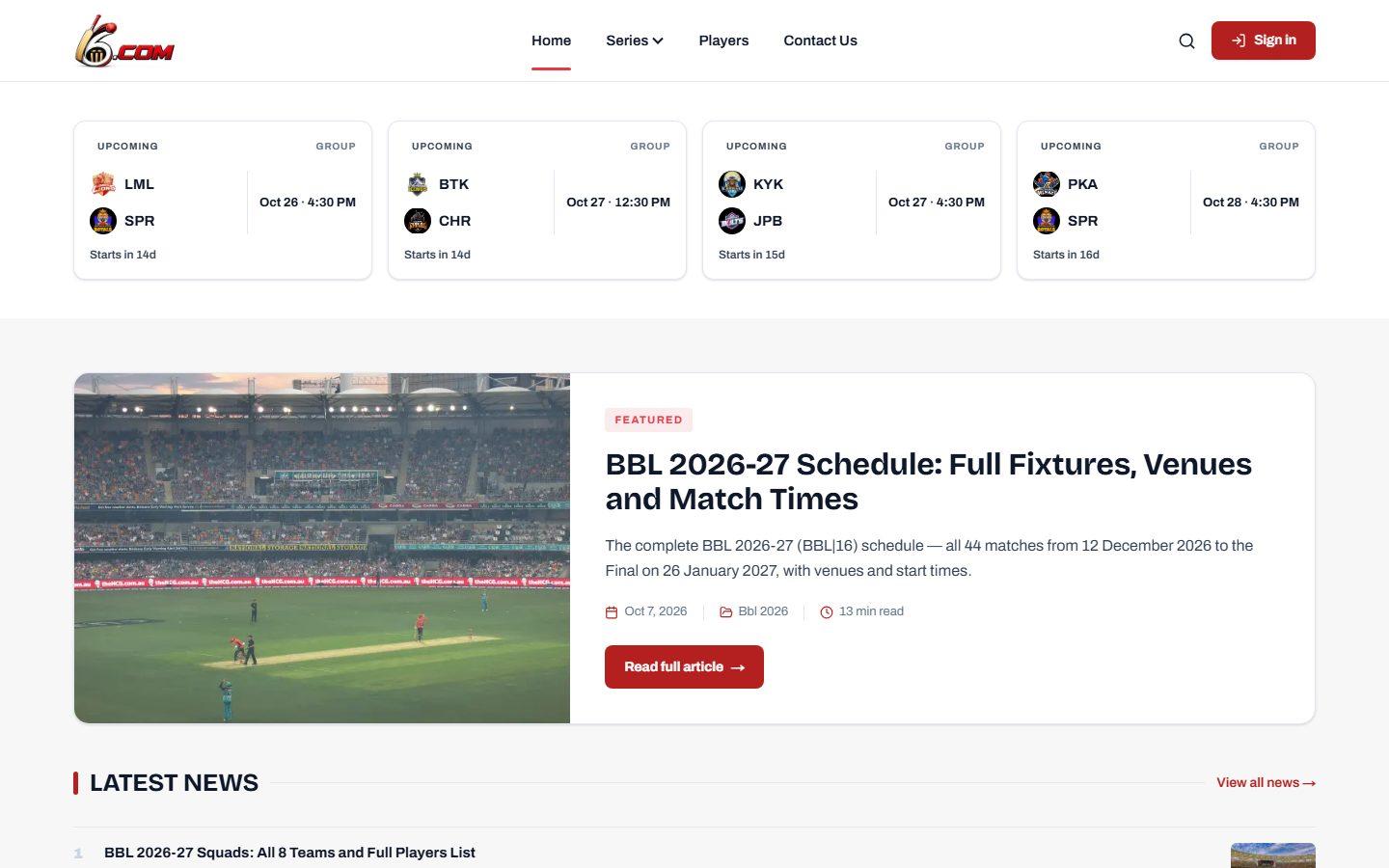
Because a headless CMS only serves content, more than one front end can use it. On Chhaka.com, a live cricket site I built and run, the same system feeds thousands of pre-built pages: seasons, clubs and players across the Nepal Premier League, the IPL, the PSL and the Big Bash. Editors place cricket blocks, such as fixtures and points tables, on any page.
The same separation means content is not trapped in one website. It can feed an app, or appear on screen during a broadcast through a live stream overlay. One back office, many places to show it.
When a headless CMS is overkill
Headless is not always the answer. Be wary of anyone who says it is.
- A three-page brochure site for a local plumber does not need it. WordPress or a simple static site is fine.
- A blog with no special features, where the owner already knows WordPress, can stay on WordPress.
- No developer to look after it. Two parts mean you need someone who understands both. Choose a developer who will stay on call.
Headless pays off when you sell, take bookings, have many pages to rank, or want a design and features of your own. It also pays off when you start from a ready product instead of zero, because the two halves are already built and talking to each other.
Moving to a headless CMS from WordPress
Many businesses come to headless from an existing WordPress site. Moving is normal and does not mean starting again. Posts, pages and images can be carried across, and every old web address can be redirected, pointed automatically to its new home, so visitors and Google never land on a broken page. Done carefully, you keep the search rankings you have earned. Ask how redirects will be handled before anything moves, and ask to check a sample of old links on the new site before launch day.
Before you choose any CMS, headless or not, write down the five things your staff change most often. Then ask the developer to show you, live, how each one is edited. That five-minute demo tells you more than this whole article.
A mini case story: Next CMS
Next CMS is the headless CMS behind every product on this site. Its back end runs on Fastify and Node.js, and each business gets its own React and Next.js front end in its own brand. One system runs many businesses, each in a separate space with its own content, users and settings.
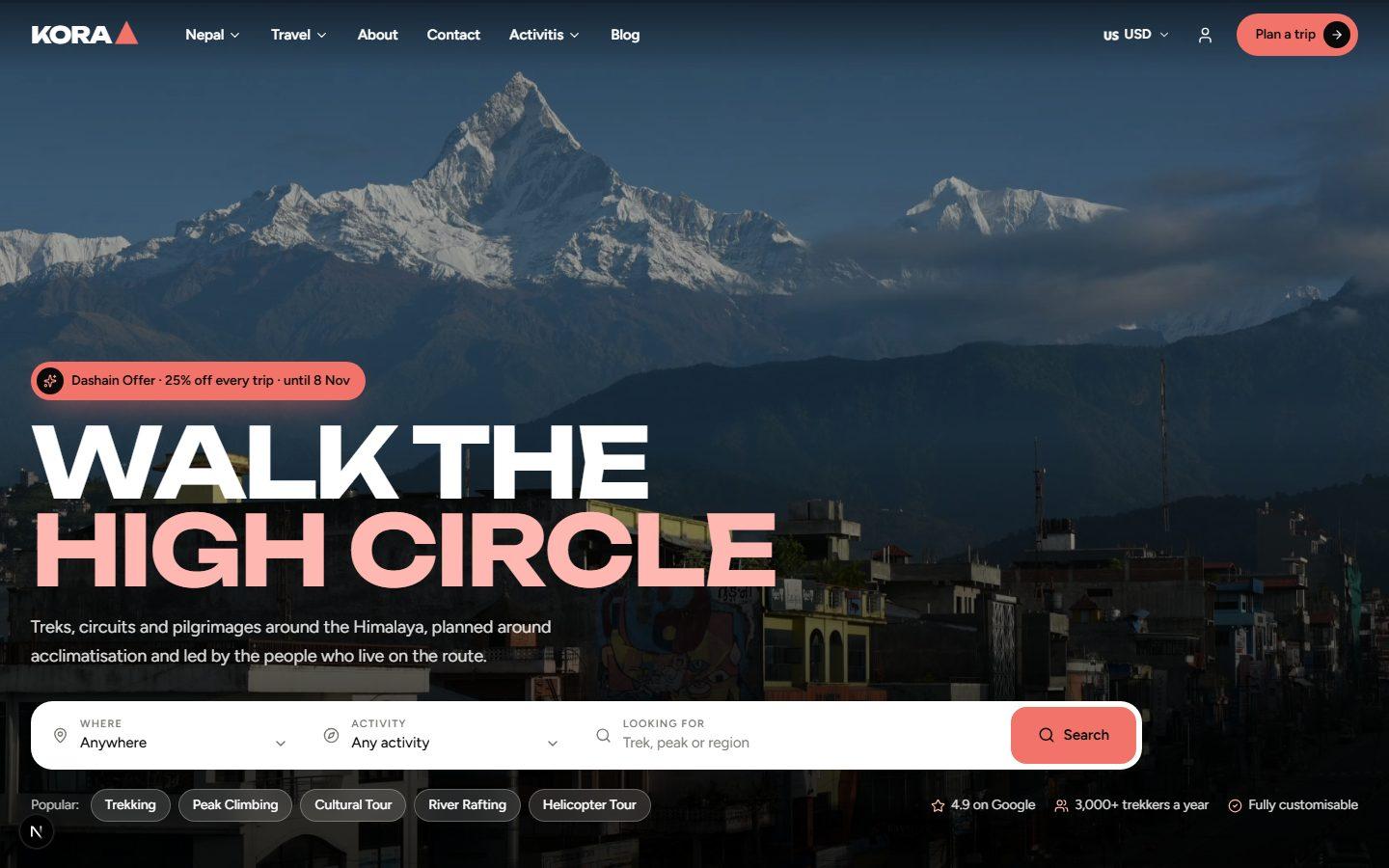
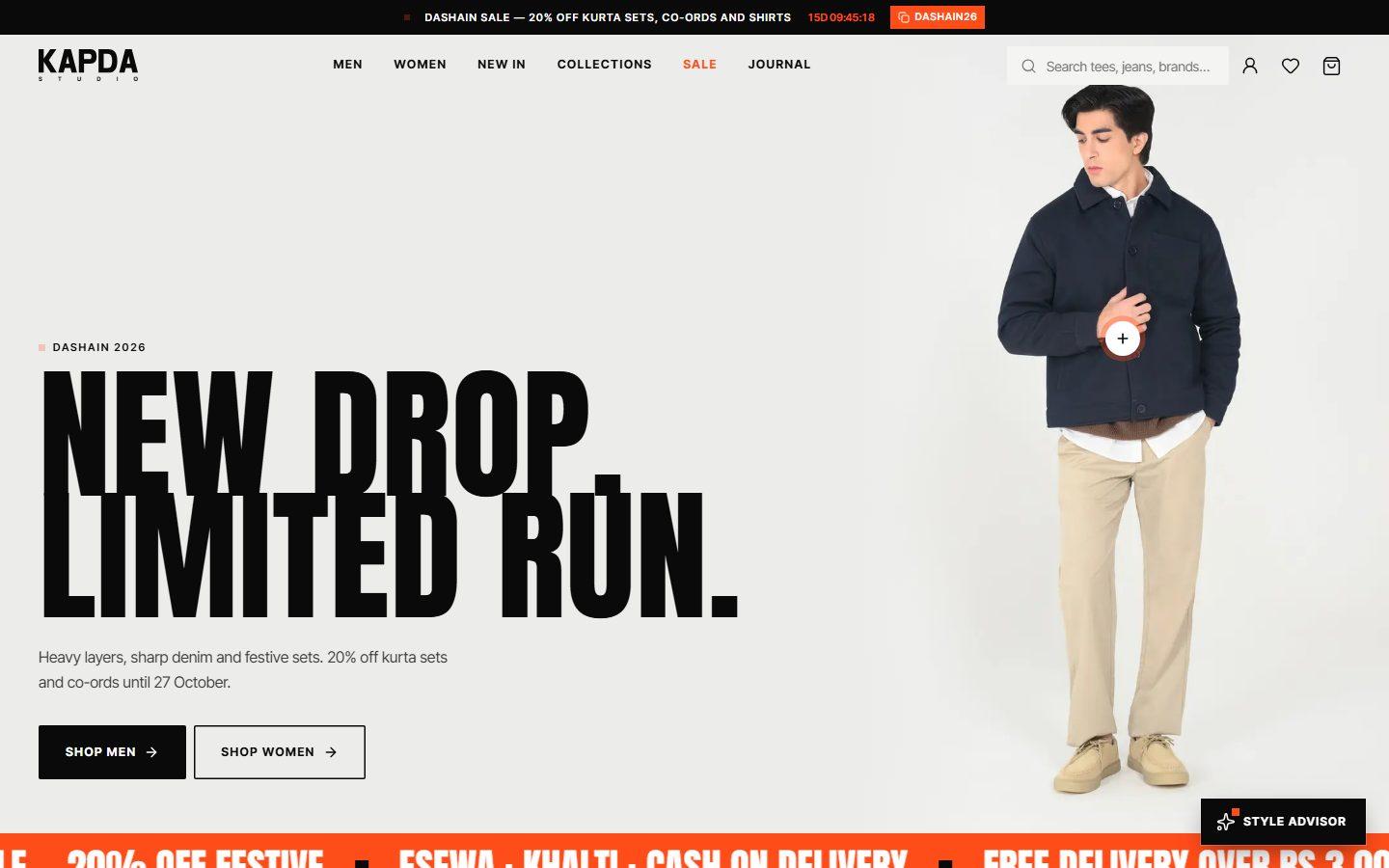
It runs Chhaka.com, the Kapda Studio clothing store, the Kora Travel trekking site and the Utsav Events planner site. The everyday features come built in: WhatsApp alerts for orders, eSewa and Khalti payments, roles and an activity log, images resized for every screen, and weekly automatic backups. Your content sits in a standard PostgreSQL database that can be exported at any time, so you are never locked in.
Questions to ask a developer
- Is this headless, and what does that mean for how I edit?
- Can my team build a new page with blocks, without you?
- Can you add content types for my business, like trips, courses or packages?
- How quickly does a change I make show up on the live site?
- Who looks after the back office and the website after launch?
- Can I export all my content if I ever leave? (And what drives the cost? See what a website costs in Nepal.)