Guide · 7 min read · · by Arjun Jhukal
How to start an online store in Nepal: a simple step-by-step guide
From Instagram DMs to a real store: the steps, in order, with nothing you don't need.
Most online shops in Nepal start on Instagram or Facebook. That works — until every order becomes a long chat about sizes, stock and payment. "Is this available in M?" "Do you deliver to Itahari?" "Can I pay with Khalti?" You answer the same questions fifty times a day, and the person who asked at midnight has bought somewhere else by morning.
A proper online store answers those questions on the page and takes the money, so you can spend your time packing orders. This guide walks you there step by step, in order, with nothing you don't need.
Do you actually need a website yet?
Not every seller does on day one. If you sell five items a week to friends, Instagram is fine. You are ready for a store when:
- You answer the same stock and size questions again and again.
- You lose orders because you were asleep or busy.
- You have more than a handful of products, or many sizes and colours.
- You want people to find you on Google, not only through your followers.
- You want a record of every order, payment and customer in one place.
Step 1: Register the business
You need a registered business and a PAN to open merchant accounts with eSewa and Khalti. A merchant account is a business account that receives payments from a website. Budget for it: eSewa charges about NPR 25,000 and Khalti about NPR 30,000 to open a merchant account (2026 figures — confirm the current fee with each wallet before you budget). Do this first, because approvals take time.
While you are at it, get a domain. A .com.np address is free for businesses registered in Nepal through register.com.np. A short, easy name like yourbrand.com.np builds trust.
Step 2: Get your products ready
For every product you need a clear name, a price, real photos and — this is where stores fail — the options. Options are the ways one product varies.
- Clothes — every colour and size needs its own stock. "Black, M" can sell out while "White, M" is still on the shelf.
- Skincare — skin type, concern and bottle size. Lipstick shades are options too.
- Electronics — RAM, storage, processor and brand.
These options become filters that help shoppers find things fast, with counts next to each option so nobody clicks into an empty page. Put them in a spreadsheet now; it makes loading the store much quicker.
Write descriptions the way a shop assistant would talk. Not "premium quality fabric", but "heavy cotton, warm enough for a Kathmandu winter evening, runs one size big". For skincare, say who it is for: "oily skin, fragrance-free, use at night". Good descriptions answer the question before the customer has to message you, and they help Google understand what each page is about.
Shoot photos on a plain background in daylight, from the front and the back. For clothes, a flat-lay or a ghost-mannequin shot works best — it is also what a virtual try-on needs to give good results.
Step 3: Decide how people pay
eSewa, Khalti and cash on delivery cover nearly everyone. Offer all three. Read how eSewa and Khalti payments work before you choose a developer, so you know what to ask.
With COD, set limits. For example, COD only under a certain amount, or only in areas where your courier is reliable. That keeps refused parcels from eating your profit.
Step 4: Sort out delivery
Inside the valley you might deliver yourself on a scooter. Outside it, you need a courier. Before launch, decide:
- Your delivery charge inside the valley and outside it.
- How many days delivery takes to each area, so you can say it honestly.
- Whether outside-valley orders can be COD, or must be paid first.
- Your return and exchange rule, especially for sizes.
Write these rules on a clear page of the store. Shoppers trust a shop that tells them the rules before they ask.
Keep the first version simple. Two delivery zones — inside the valley and outside it — are enough to start. You can add more detail later, once you see where your orders actually come from. Many shops are surprised to find a good share of buyers in Chitwan, Butwal or Dharan once the store is open to everyone, not just their followers.
Step 5: Build the store
Pick a store made for what you sell, not a general template you have to force into shape.
- Clothing — sizes, colours and maybe a virtual try-on. See Kapda Studio.
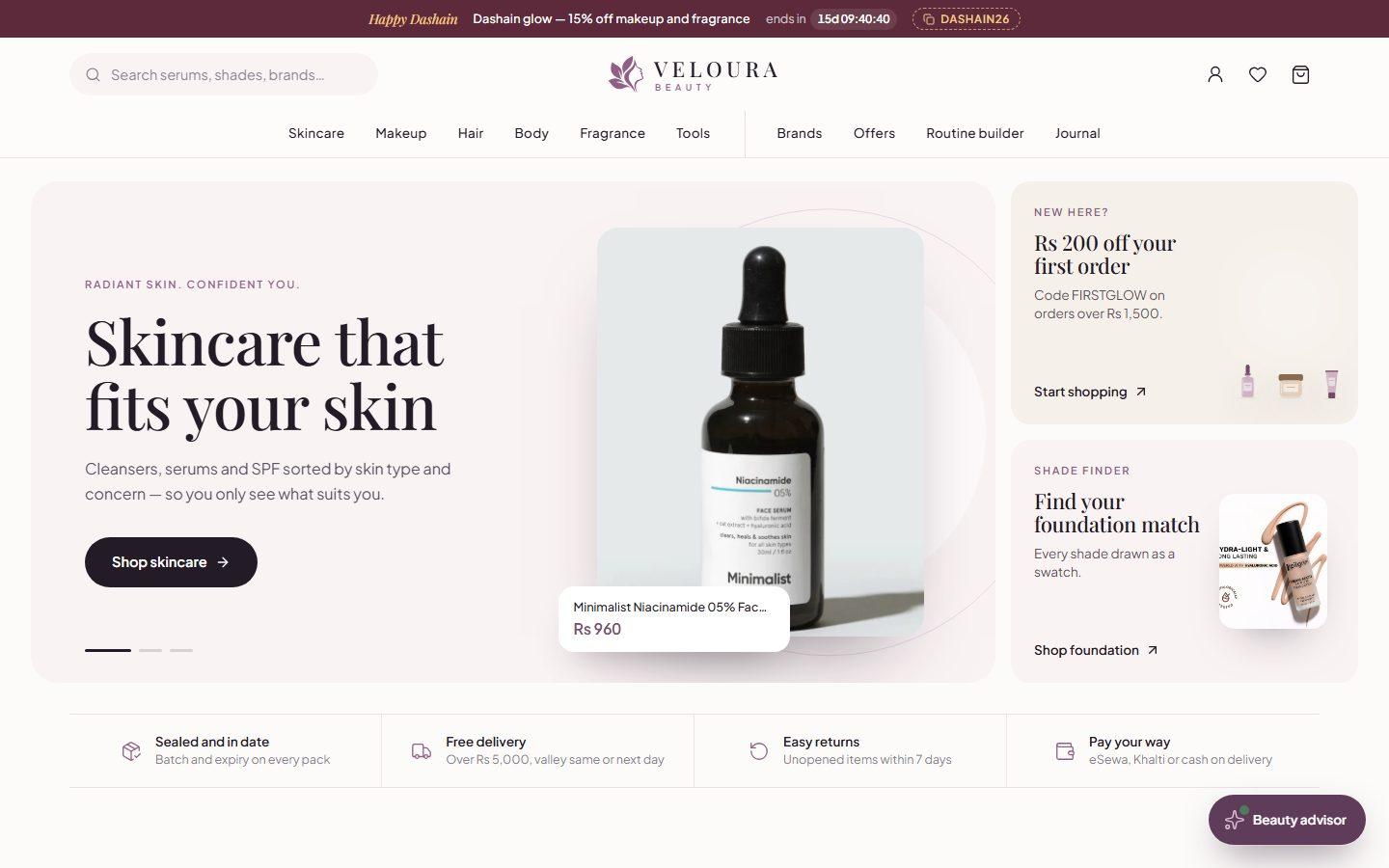
- Beauty and skincare — shades, skin types and a routine builder. See Veloura Beauty.
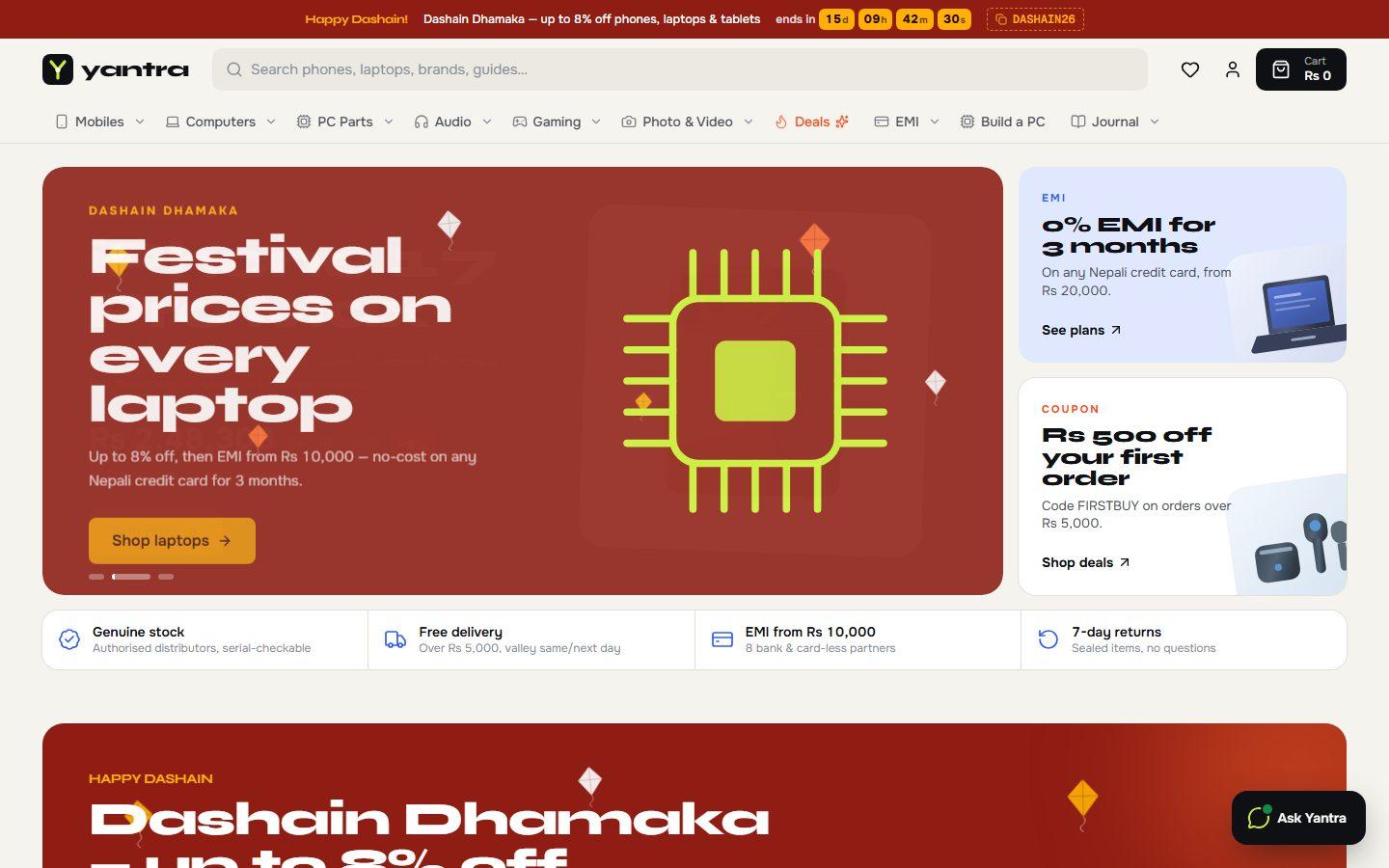
- Electronics — EMI per month, compare and a PC builder. See Yantra.
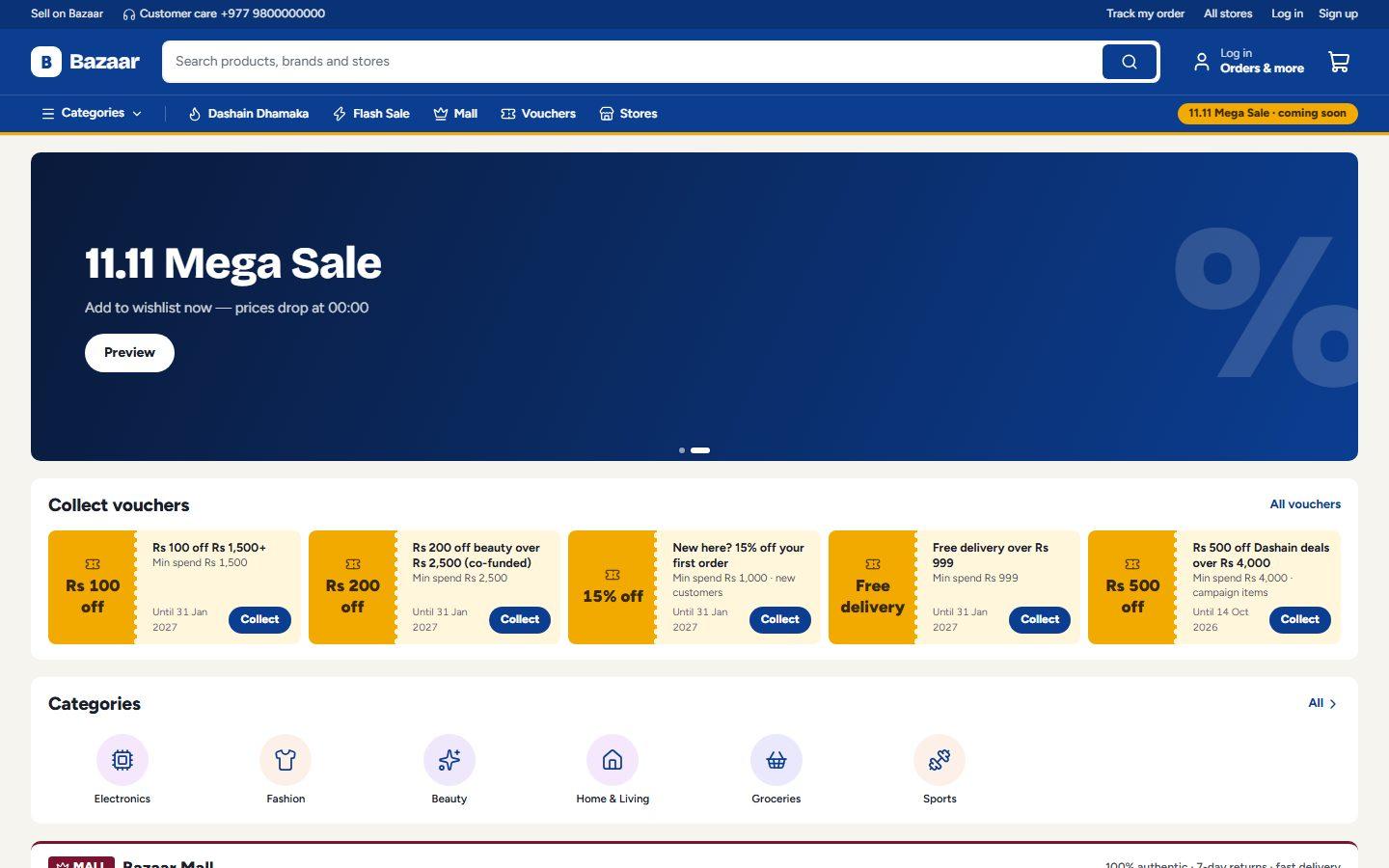
- Many sellers on one site — you need a marketplace, and a different plan: read building a marketplace like Daraz.
Whichever you choose, make sure you can edit pages yourself with a page builder — a Dashain sale page should not need a developer — and that you get a WhatsApp alert for every order. Behind the scenes, every order, payment and refund should be kept properly in an orders and ledger system, so refunds put stock back on the shelf.
If you also have a physical counter, ask for one stock count for both. In Yantra, a walk-in sale is entered as an order in the same dashboard, so the laptop sold over the counter in the morning is not still "in stock" online in the evening. In Veloura, a guest's cart is kept on their phone and merges with their account cart when they log in, so nothing is lost between devices.
All of these stores run on Next CMS, so you start from working software instead of an empty folder. If you are curious what that means for your team, read what a CMS is.
A mini case story: a Kathmandu clothing brand
Picture a streetwear brand in Jhamsikhel selling hoodies on Instagram. Each drop brings a flood of DMs: which sizes are left, what colour is that, can I pay by Khalti. Sizes oversell because stock lives in a notebook.
On Kapda Studio, each colour-and-size has its own stock. Sold-out sizes grey out instead of disappearing. Shoppers filter by size, colour and fit, read the size chart, and can upload a photo to see the hoodie on themselves — the photo is kept only in memory for a few minutes and never stored. They pay with eSewa, Khalti or COD, and the owner's phone buzzes. Instagram still does the discovery; the store does the selling.
Step 6: Get found
Keep Instagram and TikTok for discovery and send people to the store to buy. Product links work perfectly in bios and stories.
At the same time, set up the basics for Google: a title and description for every page, a sitemap, and fast pages on a phone. The SEO toolkit covers it. Each filter page — "black hoodies", "oily skin moisturiser" — can bring visitors from search on its own.
Step 7: After launch
- Watch which products sell and which pages people visit in the analytics dashboard.
- Answer every order fast; early reviews come from early speed.
- Run a sale for Dashain and Tihar with a page built from blocks.
- Give staff their own logins with roles, so you can see who changed what.
Common mistakes new online stores make
- Launching with blurry or borrowed photos. Shoppers notice, and it hurts trust.
- One stock count for all sizes. It guarantees overselling.
- Hiding delivery charges until checkout. People leave at the last step.
- No COD at all, or COD with no limits. Both lose money in different ways.
- Stopping Instagram. Keep it; it is where people find you.
How long does it take?
With products and photos ready and a store built on working software, a few weeks — most of it waiting for wallet approvals. The slowest part is almost always content: photos, descriptions and sizes. What does it cost? See website cost in Nepal.
- Week one — business papers checked, merchant applications sent, product spreadsheet started.
- Next — catalogue, colours and sizes loaded; your brand's colours and homepage built in blocks.
- Then — eSewa, Khalti and COD tested with real small orders; delivery rules written.
- Launch — domain connected, sitemap submitted to Google, first Instagram post pointing to the store.
Questions to ask a developer
- Does each size and colour have its own stock?
- Which payments are included, and are they verified with the wallet?
- Can I build sale pages myself?
- Will I get a WhatsApp message for every order?
- Can I record a walk-in sale so stock stays right?
- Who sets up the domain, sitemap and Google submission?