Guide · 7 min read · · by Arjun Jhukal
Ecommerce website template or a ready-built store? What Nepali sellers should know
A store template sells you a shop window. Here is what happens behind the counter, and when a template is still the smart choice.
Most online sellers in Nepal reach a point where Instagram DMs stop working. Too many "is this in M?" messages, too many orders written in a notebook. The next search is usually "ecommerce website template" — a ready-made store design you can buy cheaply and fill with your products.
Templates are a real option, and for some sellers they are the right one. But a store is not just a shop window. It takes money, counts stock and keeps records. This guide explains, in plain words, when a cheap template is enough, where templates struggle with Nepali payments and products, and what a ready-built store such as Kapda Studio, Veloura Beauty, Yantra or Bazaar adds.
What you actually get with a store template
A store template is a design for the pages a shop needs: home, category, product, cart and checkout. It usually sits on top of a store plugin for WordPress or on a hosted store platform. The template decides how things look. The store system underneath decides how things work.
That split matters. A template can show a lovely size picker, but whether "black, M" really has its own stock depends on the system below. A template can show eSewa and Khalti logos, but whether each payment is actually checked with the wallet depends on how the payment add-on was built.
When a cheap store template is the right call
- You are testing an idea with ten or twenty products and no sizes or shades.
- You sell mostly to people who already know you, and cash on delivery covers nearly everyone.
- You are happy to manage the theme and its plugins yourself.
- You want to learn what sells before you spend on a proper store.
If that is you, start small. A plain theme, your real photos and a clear delivery page will teach you more than any feature list. Read how to start an online store in Nepal for the steps that matter more than the design.
Where store templates break in Nepal
Templates are usually designed for shops abroad. In Nepal, these are the gaps sellers find after launch:
- Payments that are not verified. The shopper comes back from eSewa, and the site marks the order paid without asking eSewa whether the money really arrived.
- One stock count for all sizes. "Black, M" sells out but the site keeps selling it, because stock is per product, not per size.
- No limits on cash on delivery. A big COD order to a far district is refused at the door, and you pay the courier both ways.
- A cart that empties on a failed payment. The shopper's balance was short, they come back to an empty cart, and they leave.
- Filters that do not fit your products. Skin type, lipstick shade, RAM and storage are not in a general theme.
- No alert when an order comes in. A paid order sits unseen until someone opens the dashboard.
The logo of a wallet on a checkout page proves nothing. Ask the developer to show you, on a real small payment, that the server checks with the wallet before the order turns paid.
eSewa and Khalti: the part a template cannot fake
Here is what should happen when someone pays. The shopper is sent to the wallet's own page, approves the payment, and comes back. Then the server asks the wallet directly whether the payment succeeded, for that amount. Only a yes marks the order paid. That step is called verification, and it stops anyone pasting a "success" link without paying.
Every store I build works this way, through the eSewa and Khalti payments feature. The cart is kept until the payment is confirmed, COD can have limits, and every payment is a permanent entry in the order ledger — wrong ones are voided, never edited. The full walk-through is in how eSewa and Khalti payments work.
Pick a store built for what you sell
The biggest difference between a general template and a ready-built store is that the store already speaks your product's language:
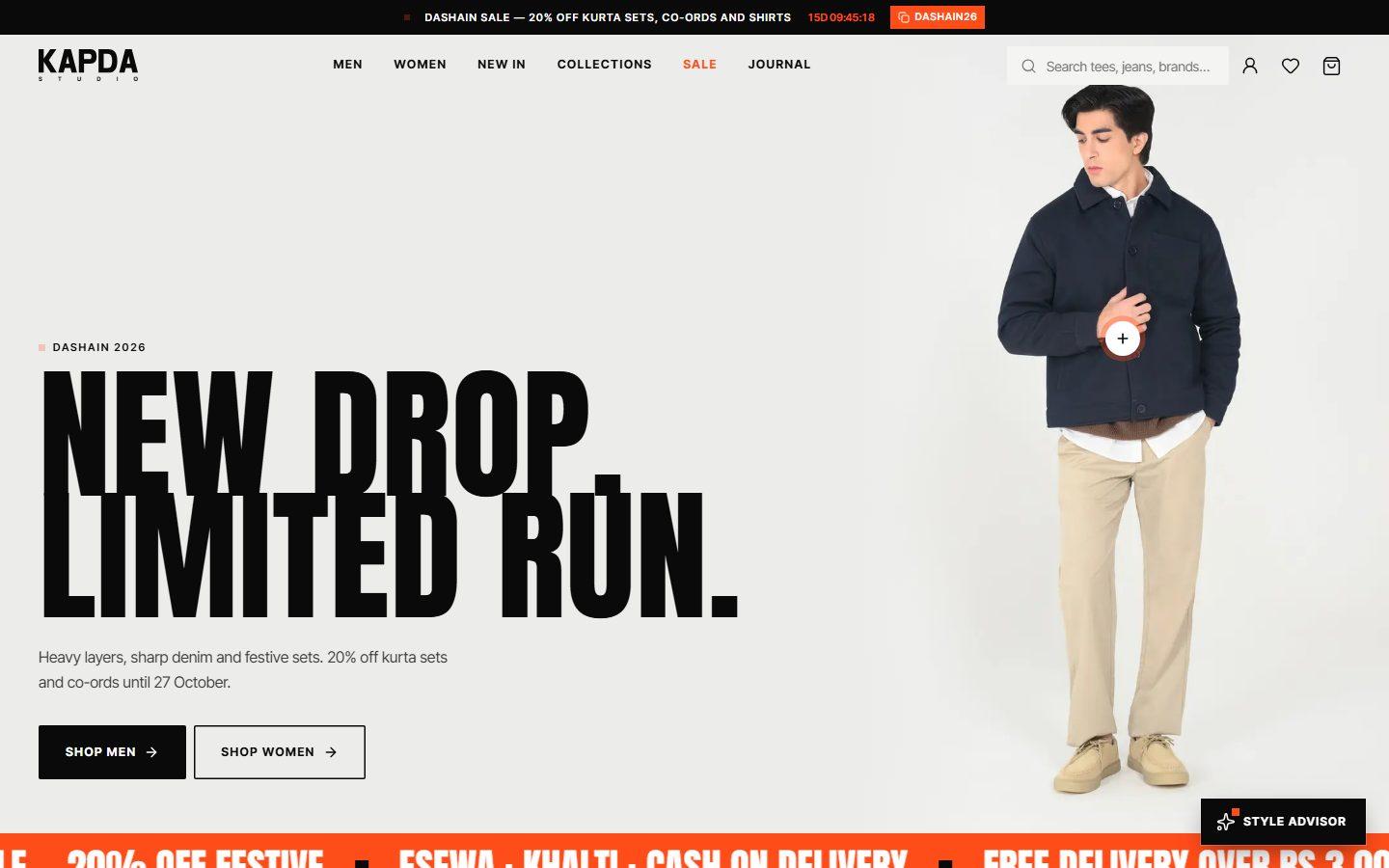
- Clothing — [Kapda Studio](/products/online-clothing-store). Every colour and size has its own stock. Sold-out sizes grey out. Filters for gender, size, colour and fit, size charts, and a virtual try-on where the shopper's photo is never stored.
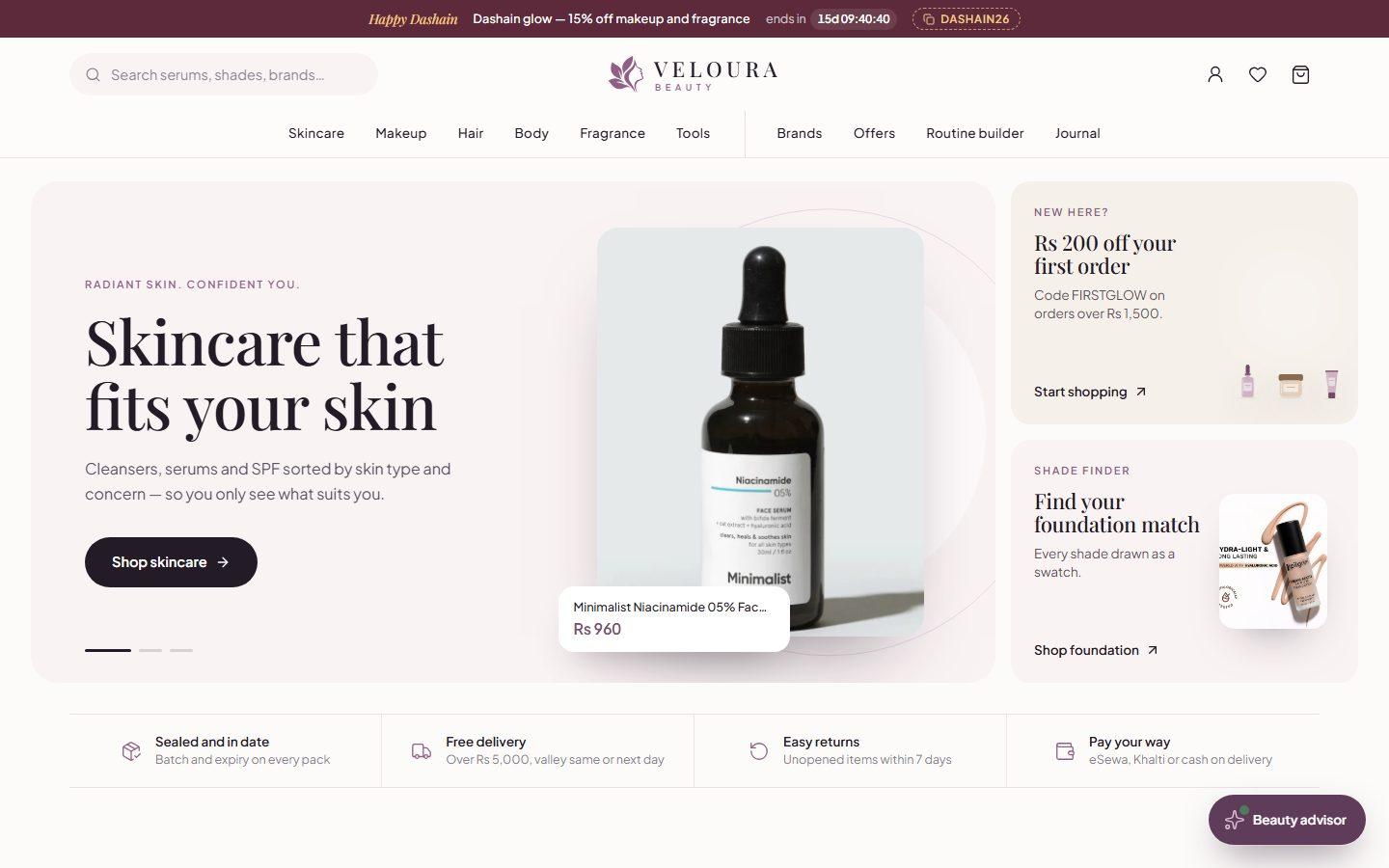
- Beauty and skincare — [Veloura Beauty](/products/beauty-store). Shop by skin type and concern, shades and bottle sizes as variants, a routine builder, and a guest cart that merges with the account cart on login.
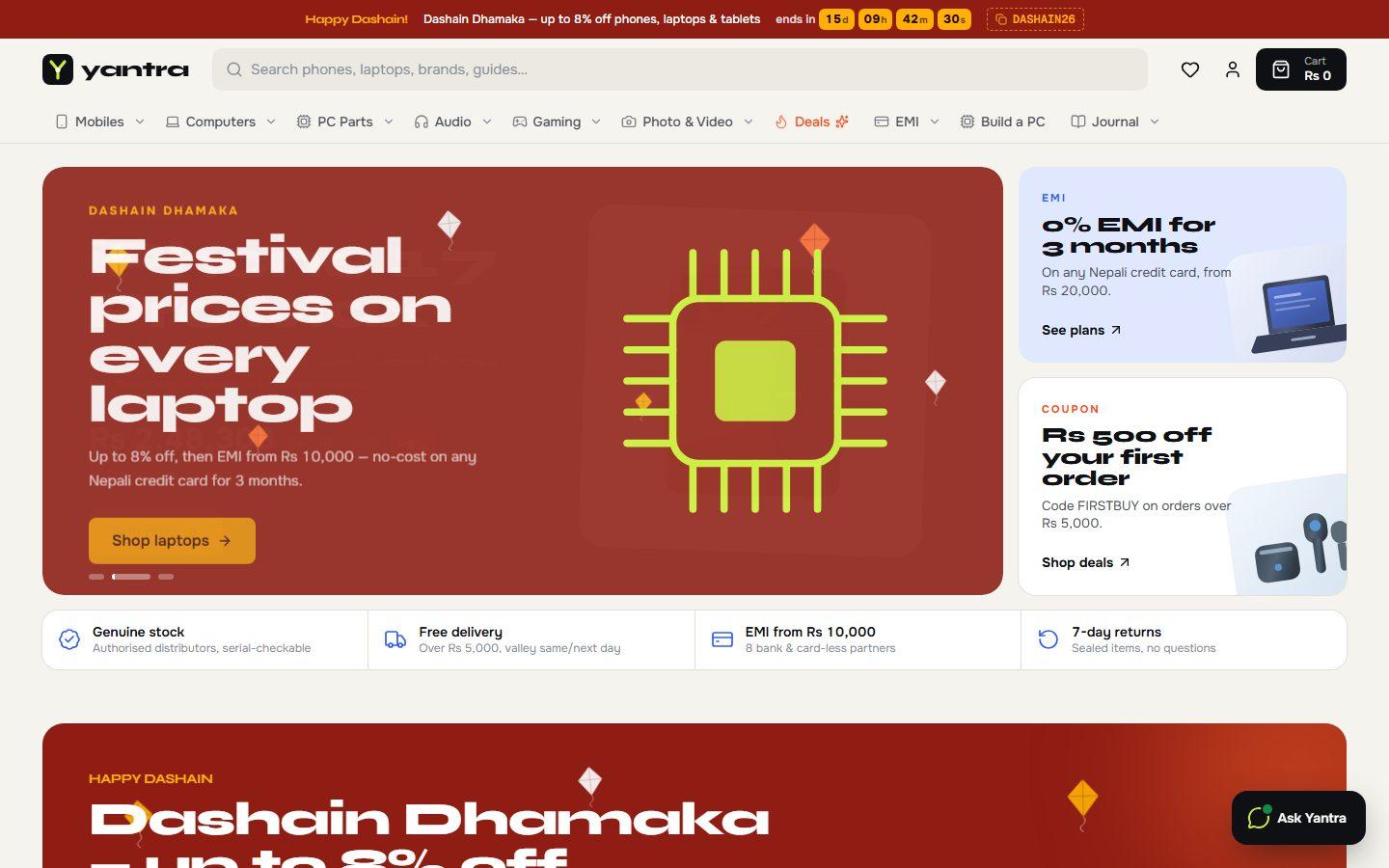
- Electronics — [Yantra](/products/electronics-store). EMI per month on every price, a PC builder that checks parts fit and adds up the wattage, compare, flash-deal countdowns, and counter sales from the same dashboard.
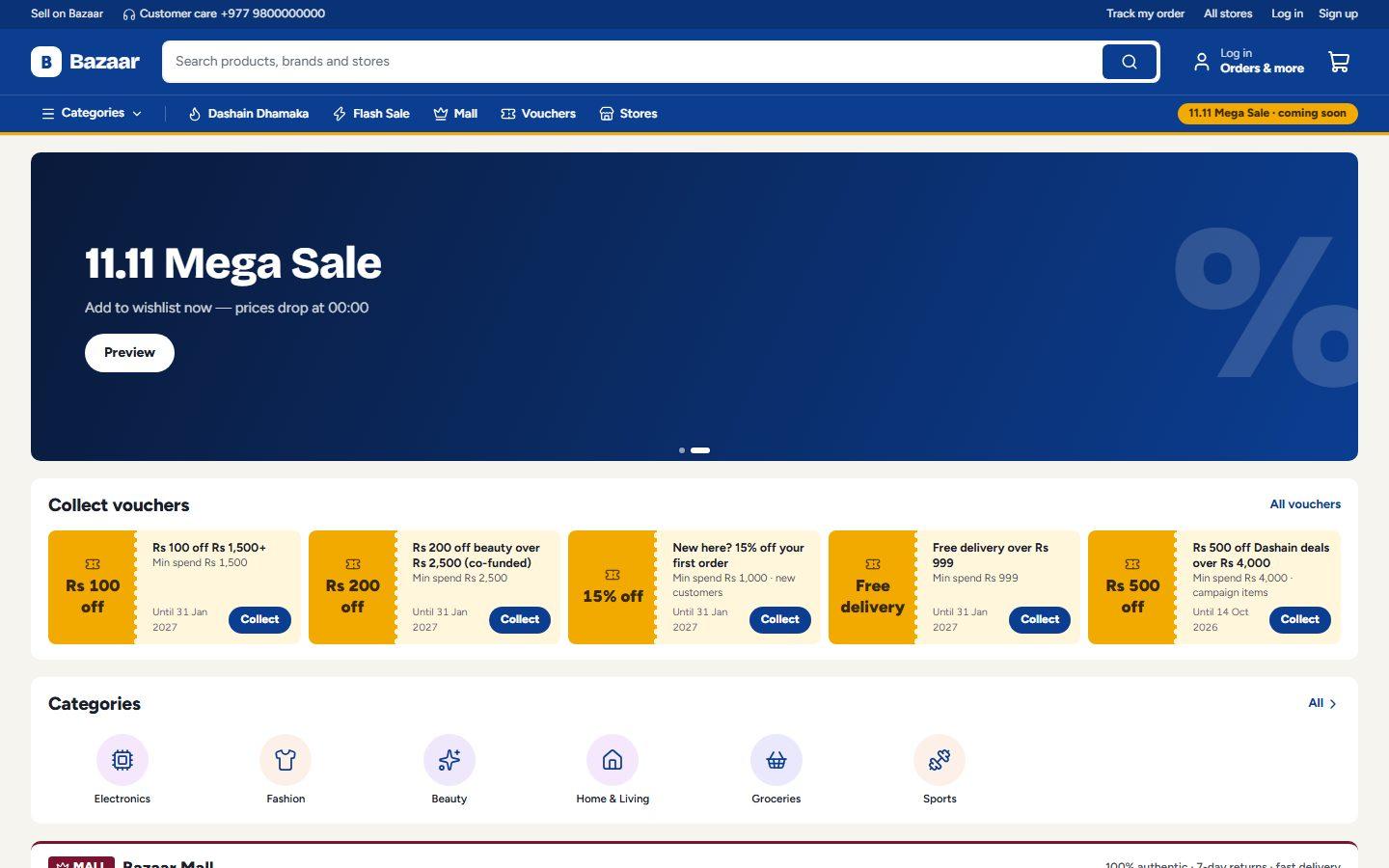
- Many sellers — [Bazaar](/products/multi-vendor-marketplace). Seller sign-up and approval, one cart for many shops, commission, weekly payouts and fair ranking. Read building a marketplace like Daraz.
Each one looks like your brand, not like the demo. The layout and features stay; colours, type and photos become yours.
Template vs ready-built product vs fully custom
- A cheap template — lowest cost and fastest to open. Fine for a small, simple catalogue. Risk: payments, variants and COD rules depend on add-ons that may not suit Nepal, and each update can break something.
- A ready-built store — the shop already works: verified wallet payments, stock per variant, COD limits, alerts, a ledger and a dashboard. The work is your catalogue, your brand and testing with real small orders.
- Fully custom, from zero — right when your business has rules nobody else has. Risk: months of building the boring parts — login, cart, checkout, refunds — before the special part even starts.
All four stores run on Next CMS, with a Next.js shop front and a Fastify back end. For why that matters for speed and Google, read why Next.js suits an ecommerce website.
Checklist: what a good ecommerce template must have
- Server-side verification for every eSewa and Khalti payment.
- Cash on delivery with limits you set.
- Stock per size, colour or shade — not per product.
- Filters with counts, so nobody clicks into an empty page.
- A cart that survives a failed payment.
- A WhatsApp or phone alert for each new order.
- Refunds that put stock back on the shelf.
- Pages your team can build for a Dashain sale without a developer.
- Titles, descriptions and a sitemap for every product.
Behind the counter: orders, stock and alerts
Shoppers see the shop window. You live behind the counter, and that is where a template and a working store differ most. In a ready-built store, an order is what was bought and a payment is money that moved, and the two are kept apart. Status — paid, part-paid or refunded — is calculated from the money, not typed by hand. A refund happens on the order, so the item goes back on the shelf by itself.
If you also sell over a counter, ask for one stock count for both. In Yantra, a walk-in sale is entered as an order in the same dashboard, so the laptop sold in the morning is not still "in stock" online that evening. Sales and views show up in the analytics dashboard, and staff get their own logins through roles and an activity log, so you can see who changed a price.
How long does it take? On working software, a few weeks — and most of that is waiting for eSewa and Khalti to approve your merchant accounts. Apply for those first, before the design is even chosen — and budget for them: eSewa charges about NPR 25,000 and Khalti about NPR 30,000 to open a merchant account (2026 figures — confirm the current fee with each wallet before you budget).
A mini case story: a skincare shop with a counter
Picture a skincare shop in New Baneshwor with a busy counter and a growing Instagram. Their first site was a general template. It had no skin-type filter, so customers still messaged to ask what suits oily skin. Shades shared one stock count, so a sold-out lipstick kept selling online.
On Veloura, skin type and concern became filters, each shade got its own stock, and the routine builder walked shoppers from cleanser to sunscreen. A cart started on a phone at lunch was still there on the laptop that evening. The owner's phone buzzed for each order through WhatsApp alerts, and the questions in the inbox dropped to the ones that actually needed a person.
Common mistakes when buying a store template
- Testing payments only in test mode. One real small payment proves the money arrives.
- Choosing by the homepage. You will live in the product page, the cart and the dashboard.
- Forgetting variants. Load one product with all its sizes before you decide.
- No plan for COD refusals. Set limits from day one.
- Not counting the yearly costs. Hosting, plugins and fixes add up. See what a website costs in Nepal.
Questions to ask before you choose
- Does the server verify every eSewa and Khalti payment before the order is paid?
- Does each size, colour or shade have its own stock?
- Can I set limits on cash on delivery?
- What happens to the cart if a payment fails?
- Will I get a WhatsApp message for every order?
- Can I record a walk-in sale so stock stays right?
- Can my team build a sale page without you?
Tell me what you sell and how many products you have. If a simple template will carry you for the first year, I will say so — and tell you what to check before you buy it.