Guide · 7 min read · · by Arjun Jhukal
A Next.js ecommerce website: what it means for your online store in Nepal
A shopper on mobile data in Birtamod decides in seconds whether to stay. Here is how a Next.js store keeps them, explained without the jargon.
A shopper in Birtamod taps your Instagram link to look at a hoodie. She is on mobile data with one bar of signal. If the page is still blank after a few seconds, she goes back to scrolling. You never know she was there. That quiet loss happens every day on slow online stores, and the owner rarely sees it.
A Next.js ecommerce website is one way to stop it. This guide explains what that phrase means, what "headless ecommerce" is, and what you should expect from a store built this way. It is written for shop owners, not developers.
What is a Next.js online store?
Every online store has two halves. The front, which shoppers see: the homepage, the product pages, the cart. And the back office, where you add products, check orders and change prices.
Next.js is the tool used to build the front. It is based on React and is known for two things: speed and being easy for Google to read. Most pages, such as your homepage, categories and product pages, are pre-built. They are prepared in advance, so when a shopper arrives the finished page is handed over at once, instead of being assembled while they wait.
Every store I build has a Next.js front. Behind it sits Next CMS, whose back end runs on Fastify and Node.js. That back end keeps your products, stock, orders and payments.
Headless ecommerce, in simple words
Headless sounds strange, but the idea is simple. The "head" is the shop front. A headless store keeps the shop front separate from the back office. They talk to each other, but each does its own job.
Think of a busy momo shop. The counter where customers order is the front. The kitchen is the back. In an old-style shop, the cook also takes orders at the counter, so when it gets busy, everything slows. In a headless shop, the counter staff only serve and the kitchen only cooks. Both can be as good as possible at their own job.
For your store, this means the front can be designed for your brand and tuned for speed, while the back office stays steady and familiar for your staff. For a longer explanation, read headless CMS explained.
Why speed matters on a shopping site
- Most shoppers are on phones. Many are on mobile data, often outside the valley, where signal can be weak.
- Shoppers browse many products. Every slow page is another chance for them to give up.
- Google watches speed. It uses checks called Core Web Vitals: does the main content appear quickly, does the page react when tapped, and does it stay still while loading.
- Sale days are busy days. A Dashain or Tihar sale brings more visitors at once. Pre-built pages do not slow down when many people arrive together.
Photos are the usual reason stores are slow. On sites built with Next CMS, every image is resized on the fly for each screen size, so a phone gets a phone-sized photo. Your team uploads one good photo; the system handles the rest.
Product pages that Google can read
People search for products, not for your shop name: "oversized hoodie Nepal", "sunscreen for oily skin", "gaming laptop EMI". Each product needs its own page with a clear web address, a title, a description and details Google understands.
The SEO toolkit handles the technical side: titles and descriptions for every page, a sitemap that updates when you add a product, and structured data for products, FAQs and breadcrumbs. Because pages arrive pre-built, Google receives the full product page, not an empty frame. The rest is your product names, descriptions and photos, written the way a shop assistant would talk.
Sizes, colours and filters that really work
Many stores fail here. A hoodie in three colours and five sizes is fifteen different things to keep in stock. If the store treats it as one product, it will sell a size you do not have.
Variants and filters keep stock for each combination, grey out sold-out sizes instead of hiding them, and turn your options into filters with counts beside each one, so nobody clicks into an empty page. The same idea covers lipstick shades, bottle sizes, and laptop RAM and storage.
Payments: eSewa, Khalti and cash on delivery
A store in Nepal needs local wallets and cash on delivery. Every store I build takes all three through eSewa and Khalti payments. The order is only marked paid once the wallet itself confirms it, and the cart is kept until then, so a failed payment never empties it.
Cash on delivery can have limits, for example only under a certain amount, which protects you from costly refused parcels. Cards through Stripe are also supported for buyers abroad. The full walk-through is in how eSewa and Khalti payments work.
Four stores, one base
Here is what a Next.js store looks like in practice. Four different shops share the same CMS and the same tested basics, then add what their own customers need:
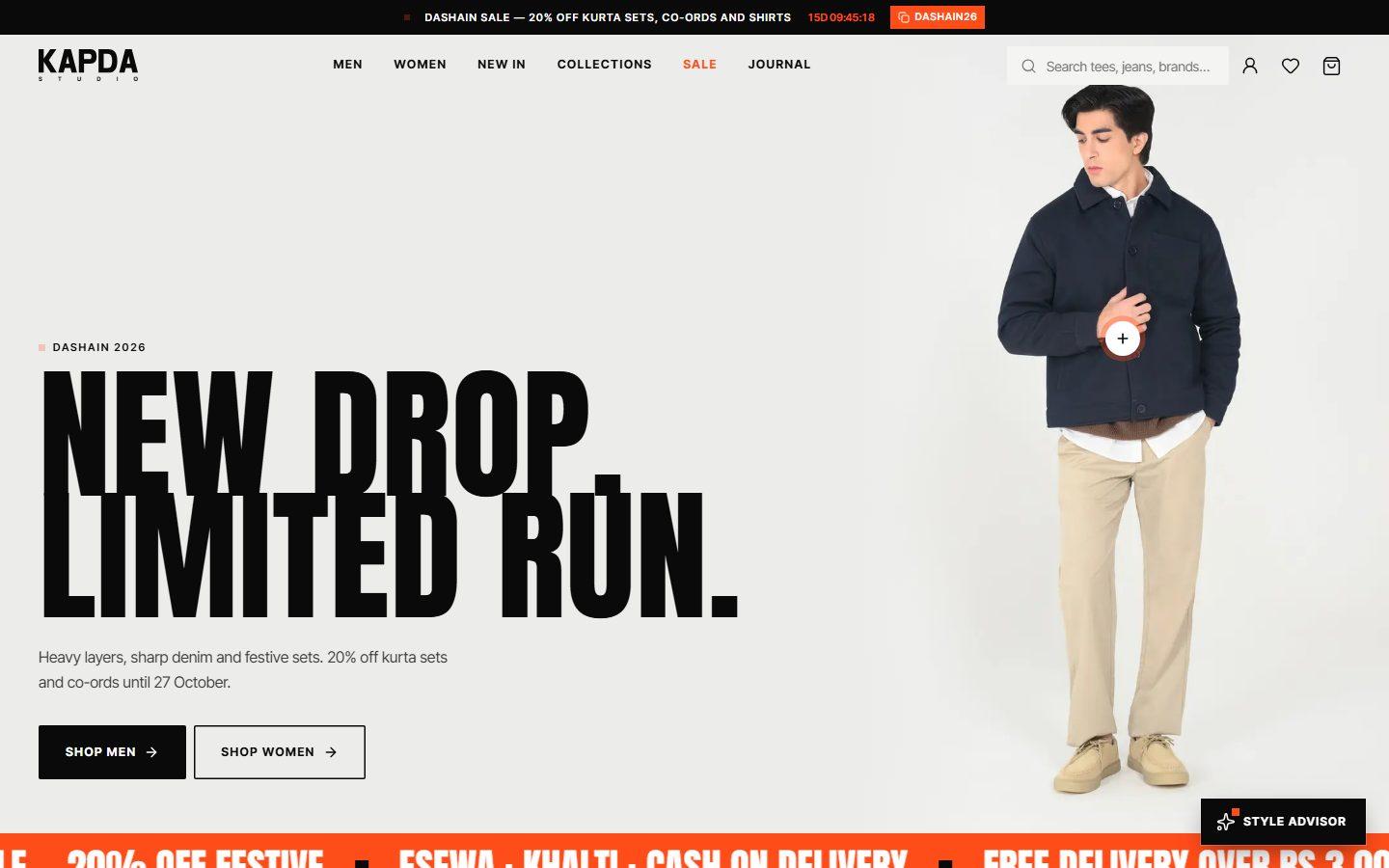
- [Kapda Studio](/products/online-clothing-store): a streetwear store where each colour and size has its own stock, with size charts, collections and an AI virtual try-on.
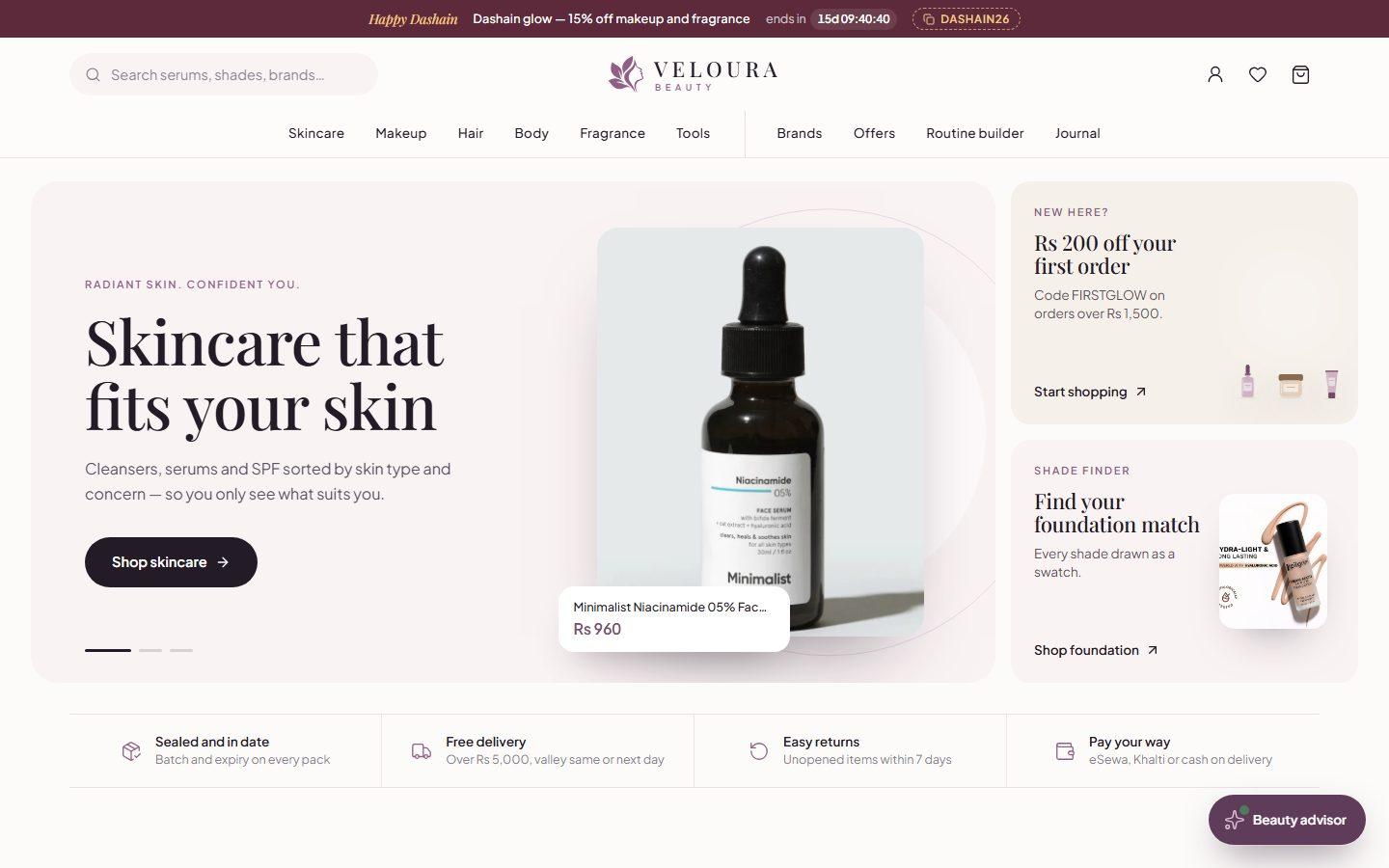
- [Veloura Beauty](/products/beauty-store): a skincare store with filters for skin type and concern, a routine builder, and a cart that follows the shopper from phone to laptop once they log in.
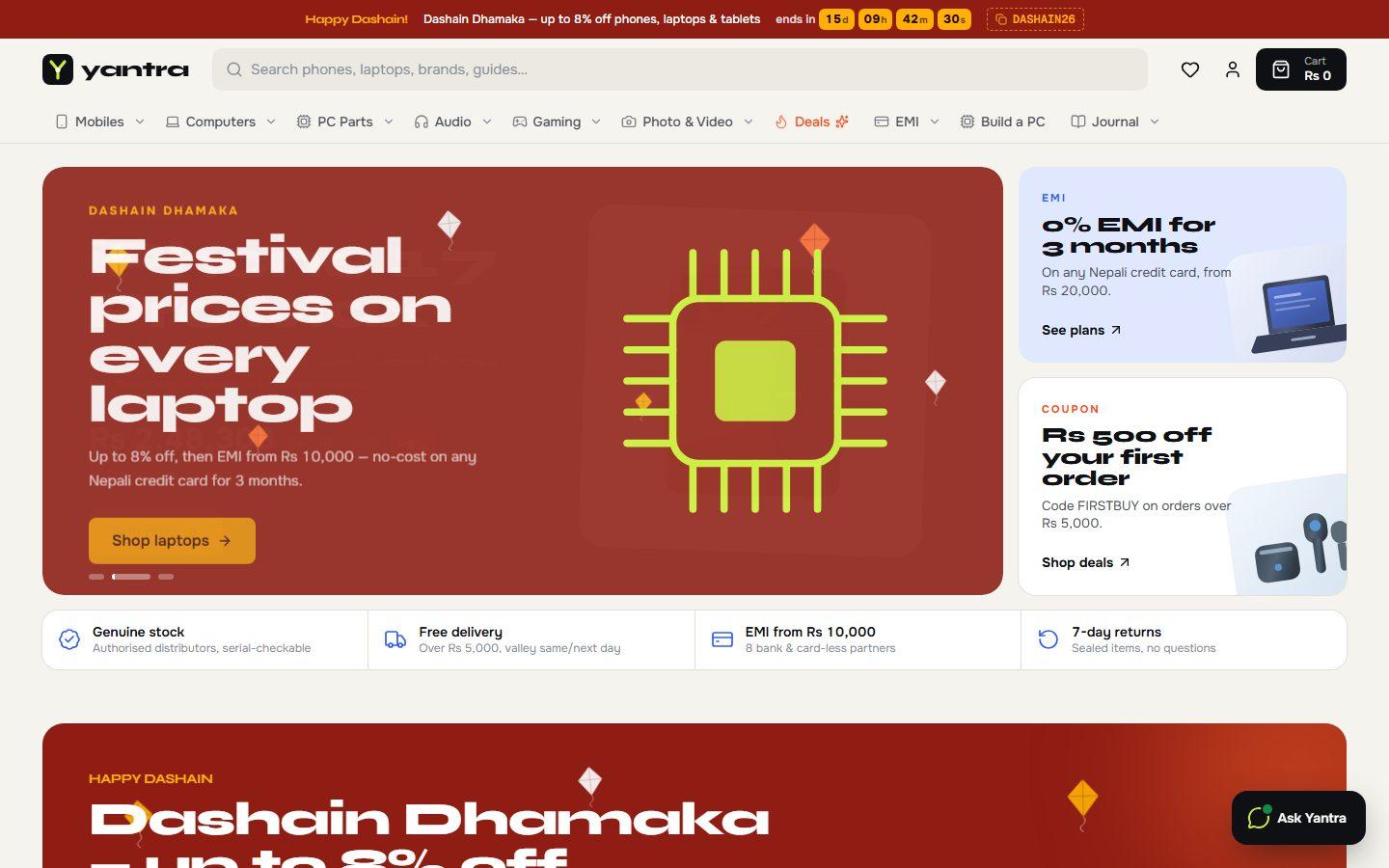
- [Yantra Tech Store](/products/electronics-store): an electronics store with EMI on every price, a PC builder that checks parts fit and adds up the wattage, compare and flash-deal countdowns.
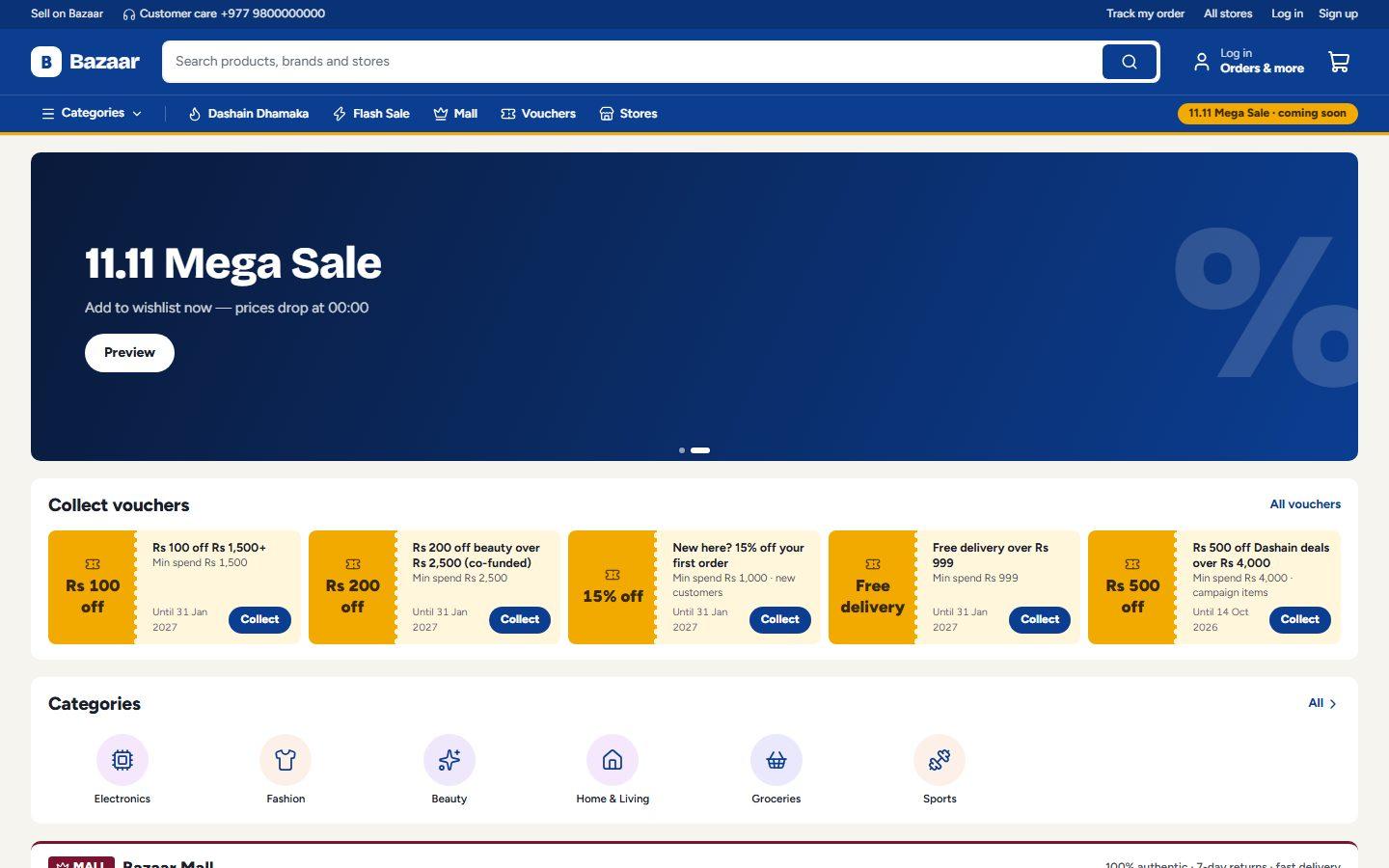
- [Bazaar Marketplace](/products/multi-vendor-marketplace): a marketplace where many shops sell under one roof, with one cart, commission and weekly payouts. See how to build a marketplace like Daraz.
None of these started from an empty folder. The login, the image handling, the page editor, the sitemap and the payment checks were already working. For an owner, that means the effort goes into what makes your shop different. For a ready starting point, see the ecommerce website template guide.
The four stores also look nothing alike. Kapda is bold streetwear, Veloura is soft and clean, Yantra is dense with specs. That is the advantage of a headless front: the features stay, while the colours, type, photos and layout become your brand. Your shop does not look like a copy of someone else's, even though the tested basics underneath are shared.
What happens behind the scenes
A fast front is only half a store. The back office decides whether you can actually run the business:
- Orders and a proper record. Every order, payment and refund is kept in an orders and ledger system, and refunds put stock back on the shelf.
- Alerts on your phone. A WhatsApp alert for every order, sent through the official WhatsApp Business API.
- Pages you edit yourself. A Tihar sale page or a new collection, built from blocks in the block page builder.
- Staff with the right access. Roles and an activity log, so you can see who changed a price.
- Numbers in one place. Page views and clicks in the analytics dashboard.
When you do not need a Next.js store
Not every seller needs this. If you sell a few items a week to people who already follow you, Instagram is fine. If your site is mostly articles and a few pages, WordPress may be the better fit, and I build those too. The honest comparison is in Next.js vs WordPress.
You are ready for a proper store when you answer the same stock questions all day, lose orders while you sleep, or have many sizes and colours to track. The steps in order are in how to start an online store in Nepal.
Apply for your eSewa and Khalti merchant accounts before the store is even designed. Approval takes time and needs documents, and it is the most common reason a finished store sits waiting to launch. Budget for the fees too: eSewa charges about NPR 25,000 and Khalti about NPR 30,000 to open a merchant account (2026 figures — confirm the current fee with each wallet before you budget).
Common mistakes with new online stores
- Uploading photos straight from the camera on a store that does not resize them.
- Treating every size as one product, then selling stock you do not have.
- Emptying the cart before payment is confirmed, so a failed payment loses the sale.
- No product titles or descriptions, so Google has nothing to show.
- Choosing on price alone. For what really drives cost, read what a website costs in Nepal.
Questions to ask a developer
- Are product and category pages pre-built, and how fast do they load on mobile data?
- Does each colour and size keep its own stock?
- Does the server confirm every eSewa and Khalti payment before marking an order paid?
- Can I set limits on cash on delivery?
- Can my team add products and sale pages without you?
- Will I get a WhatsApp message for every order?
- Can I export my products and customers if I ever move?