Guide · 7 min read · · by Arjun Jhukal
School website template or an LMS? A plain guide for schools and colleges in Nepal
A school website and an LMS are two different things. Here is which one you need, when a template is enough, and what is honestly not built yet.
Schools and colleges in Nepal usually come to the web for one of two reasons. Parents and students cannot find admission dates, notices or contact details. Or teachers are sharing notes on Viber, attendance lives on paper, and the office cannot see who actually comes to class.
Both lead to the same search: "school website template", "college website template Nepal" or "LMS template". But they are different problems. This guide explains the difference in plain words, when a cheap template is all you need, what the Institute LMS does today — and, honestly, what it does not do yet.
A school website and an LMS are two different things
A school website is the public face: who you are, programs, admissions, notices, gallery and contact. Parents and future students read it. It is mostly pages and posts.
An LMS — learning management system — is the inside of the school. Teachers publish lessons, students open them, and staff mark attendance. Only your own students and staff log in. Many templates call themselves "LMS templates" but are really just a design for course pages. A real LMS needs logins, roles and records behind the design.
When a simple school template is the right choice
- You are a small school that needs notices, admission dates, a gallery and a map.
- One office staff member will update it a few times a month.
- You have no plan yet to move lessons or attendance online.
- You want something live before admissions open.
That is a fair use of a theme. A clean WordPress site does it well, and I build WordPress sites for exactly this. Spending more before you need an LMS would be a waste.
Where school templates fall short
- Notices become PDFs. Each notice is a scanned file, hard to read on a phone and invisible to Google.
- English only. Office staff and some teachers are more comfortable in Nepali, so the site stops being updated.
- Course plugins bolted on. A theme plus a course plugin plus a membership plugin, each from a different maker.
- Everyone shares one login. Nobody knows who changed the fee notice.
- Several campuses, one messy site. Each campus wants its own notices and students, and the theme was built for one.
Before you buy anything, count who will actually use it each week. If it is one office assistant posting notices, you need a website. If it is forty teachers and a thousand students, you need an LMS.
What the Institute LMS does today
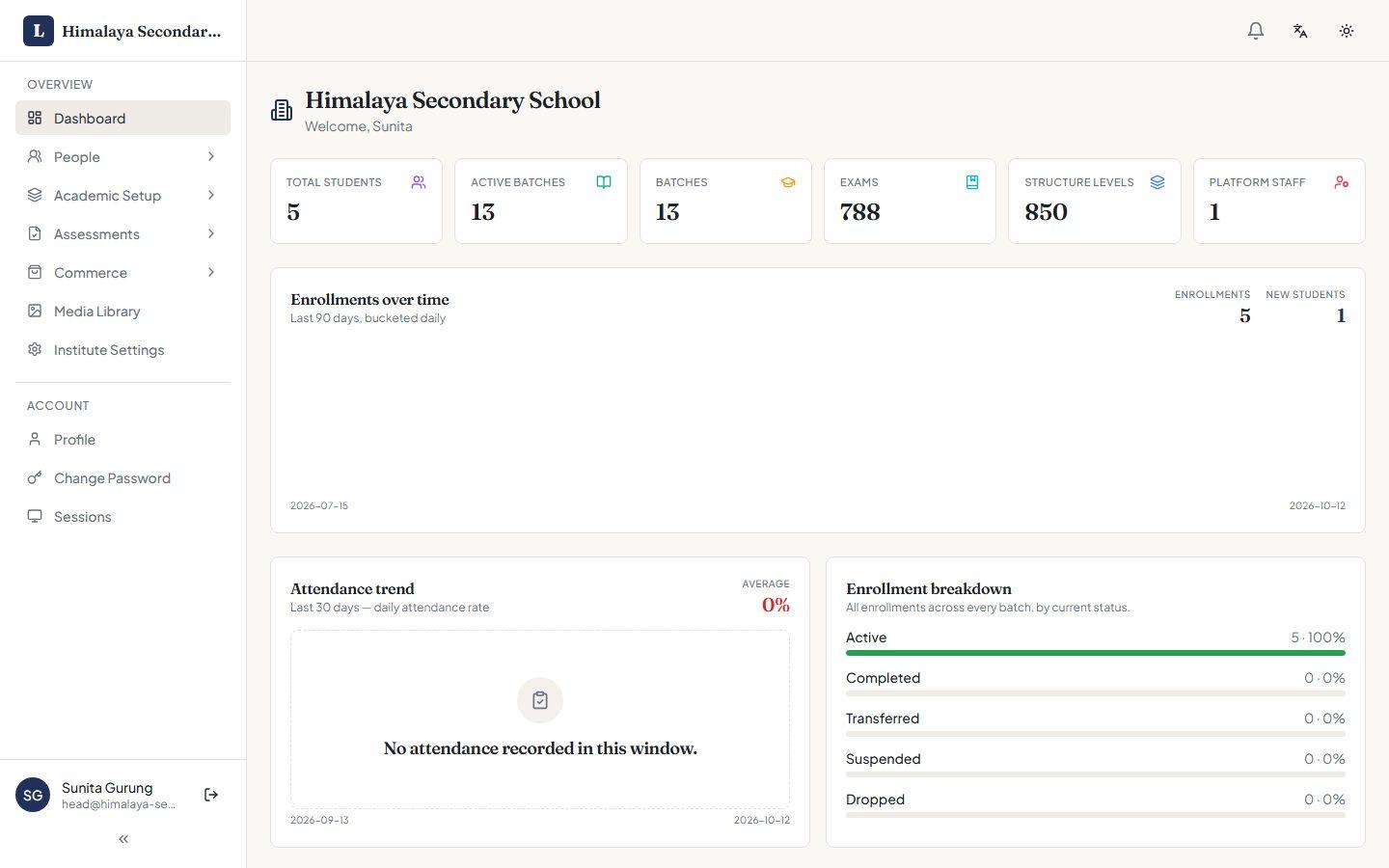
The Institute LMS runs the teaching side of a school, college or training institute:
- Your real structure — departments, programs and batches, with teacher and student counts at a glance.
- Courses made of lessons. Each lesson can hold video, reading material, notes, attachments and links, published lesson by lesson.
- Attendance in one tap. Mark a whole class present, then fix the few absentees: present, absent, late or excused.
- Staff roles. Heads, teachers and office staff each see what their role allows, through roles.
- Notifications so students and staff hear about what matters to them.
- Many institutes, one system. A new institute applies, is approved and gets its own space; each one only ever sees its own students and courses.
The backend is built with NestJS and Node.js, with screens in React, so another developer can pick it up later.
What it does not do yet: live classes
Live online classes are not built yet. Lessons today support recorded video and material, not a live video room. Live classes are on the roadmap and can be built for your institute, but if you need them on day one, you should know that now, not after you sign.
Many institutes already run live sessions on a separate video tool and use the LMS for everything around them: the lesson notes, the recording afterwards and the attendance. That is a fair way to start.
Nepali and English on every screen
Not every teacher or office assistant is comfortable in English. The Institute LMS switches every screen between Nepali and English — every label, not just the menu — and each user's choice is remembered. In practice, that is what decides whether staff actually use a system or quietly go back to paper.
The public website: Next CMS
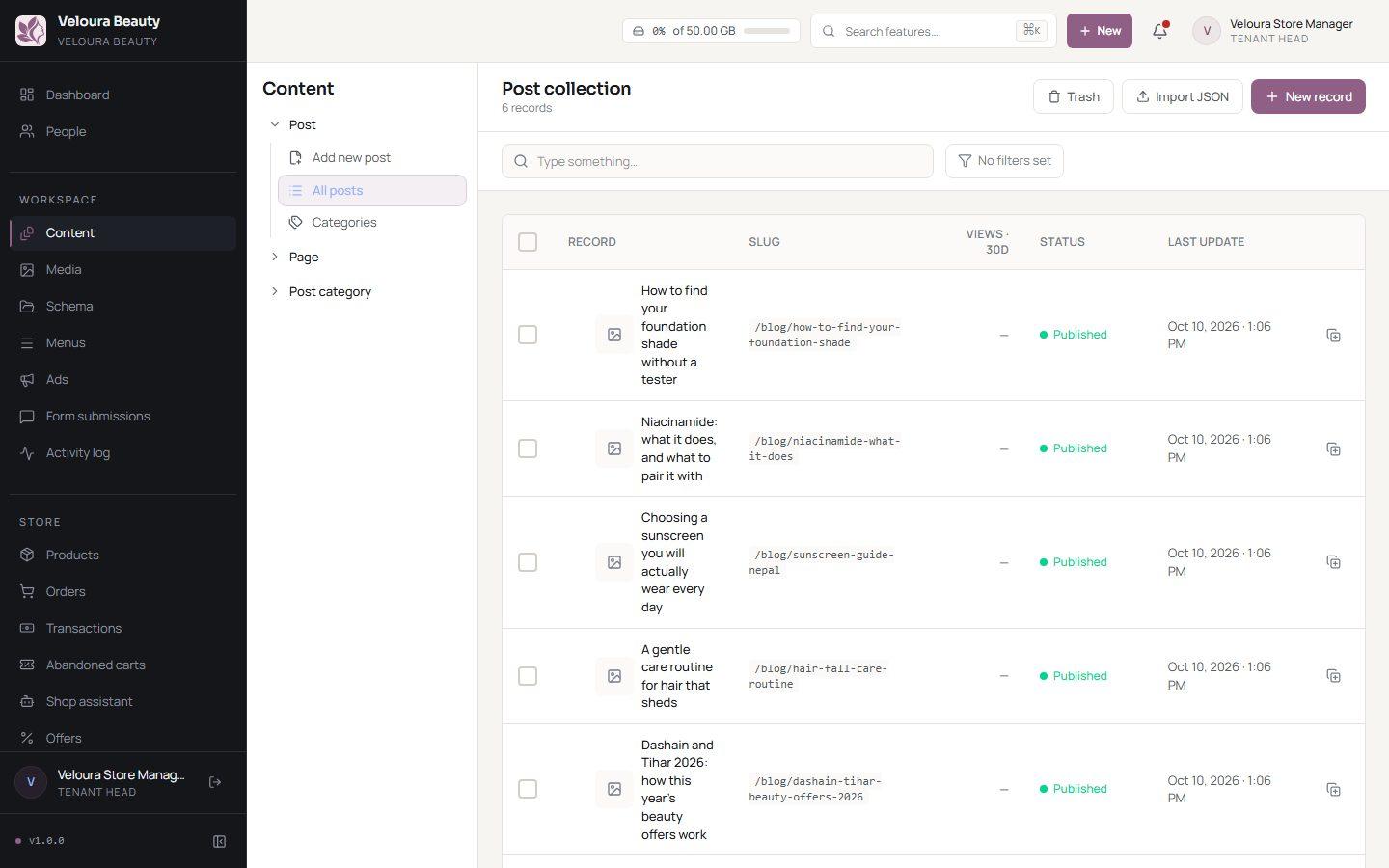
For the public side — programs, admissions, notices, gallery — the same thinking applies as for any business site. Next CMS lets you define your own content types, such as "Courses" with their own fields, and build pages from blocks. Notices become real pages Google can read, through the SEO toolkit. If CMS is a new word, read what a CMS is or headless CMS explained.
In practice, that means an admission notice is typed into a form, not scanned. It gets a proper title, it shows up when a parent searches "BBS admission Kathmandu 2083", and it is readable on a phone. The office can see how many people opened the admissions page in the analytics dashboard, and each staff member edits under their own name. Still weighing a WordPress theme for the public side? Read Next.js vs WordPress.
Template vs ready-built product vs fully custom
- A cheap school template — quick and low-cost for a public site with notices and admissions. Risk: notices as PDFs, English only, and a course plugin that is an LMS in name only.
- A ready-built product — the Institute LMS for teaching, attendance and roles in Nepali and English, with Next CMS for the public site. The work is your structure, your people and your first courses.
- Fully custom, from zero — right for a university with unusual systems to connect. Risk: a long build, and you pay again for logins, roles and records that already exist.
Checklist: what a good school or LMS template must have
- Notices as readable pages, not scanned PDFs.
- Screens in Nepali and English for staff.
- Separate logins and roles for heads, teachers, office staff and students.
- Programs and batches that match how your school is really organised.
- Lessons that can hold video, notes and attachments.
- Attendance that is quick to mark and easy to correct.
- Separate spaces if you run more than one campus.
- A clear answer on live classes, and on what is not included.
A mini case story: a +2 college with two campuses
Picture a +2 college in Chitwan with two campuses. Notes go out on Viber groups, and students cannot find last week's chemistry notes. Attendance is on paper, and the principal sees it at the end of the month.
On the Institute LMS, each campus gets its own space. Programs and batches are entered, students and staff imported, and teachers publish lessons with notes and a recorded video. Attendance is marked in one tap at the start of class. Office staff work in Nepali, the science teachers in English. The live revision sessions still run on a separate video tool for now, and the recording goes into the lesson afterwards.
How a rollout works
Software does not change a school; daily habits do. That is why a rollout goes in four plain steps, one at a time:
- Structure — departments, programs and batches entered, matching how the school is really organised.
- People — students and staff imported, each with their own login and role.
- Courses — the first courses and lessons published, starting with one or two keen teachers.
- Daily use — attendance and lessons become routine, then the rest of the staff join.
Start with one batch or one department rather than the whole school. When the first teachers find their notes are easier to share and their attendance takes a minute, the others usually ask to join. Forcing everyone on day one is the fastest way to end up back on paper. The screens are built with React and Next.js, the same tools behind every front end on this site, so another developer can work on them later.
Questions to ask before you choose
- Do we need a public website, an LMS, or both?
- Does it work in Nepali for our office staff?
- Can each teacher have their own login and role?
- Can several campuses share one system but keep their data apart?
- Does it do live classes today, or only recorded lessons?
- Who owns our data, and can we export it?
- What will it cost to run each year? (See what a website costs in Nepal.)
Tell me how many students, staff and campuses you have, and what you want online first. If a simple school website is all you need this year, I will say so.