Guide · 7 min read · · by Arjun Jhukal
Travel website template or a ready-built travel site? An honest guide for Nepal agencies
A travel template looks perfect in the demo. Here is when it really is enough, and when your trips need something that already works.
Search for a "travel website template" and you will find hundreds of beautiful demos. A mountain photo fills the screen, a search box floats on top, and tidy cards show trips to places you have never been. For a trekking agency in Thamel or a tour operator in Pokhara, it looks like the answer: buy the theme, swap the photos, done.
Sometimes it is the answer. This guide is not here to tell you templates are bad. It explains, in plain words, when a cheap template is the right choice, where it starts to hurt a travel business, and what a ready-built travel website like Kora Travel adds. At the end there is a checklist and a list of questions to ask before you buy anything.
What a travel website template really is
A template (also called a theme) is a ready-made design. Someone has drawn the pages — homepage, trip page, contact page — and coded them so you can pour your own text and photos in. Most travel templates are built for WordPress, the most popular website system in the world.
What you buy is mostly the look. The things that make a travel business work — trips with day-by-day plans, a way to ask for dates, a place for your staff to update a price — usually come from separate add-ons called plugins, made by different people. That is the key thing to understand before you choose.
When a cheap template is the right choice
Be honest about where your business is today. A template is a sensible, low-risk choice when:
- You are a new guide or a small homestay with three or four trips, and you mostly need a page people can trust.
- Your bookings come almost entirely from friends, repeat guests or agents abroad, and the website is a business card.
- You are comfortable editing WordPress yourself, or you have a nephew who is.
- You need something live next week for a trade fair, and you will rebuild properly later.
In those cases, spending more would be a waste. A clean theme with your real photos, your phone number and a map will do the job. If you want it done well, I build WordPress sites too, and I will tell you when that is all you need.
Where travel templates start to hurt
Problems show up when the website has to do real work. These are the ones travel agencies hit most:
- The itinerary lives in a PDF. The template has no place for "Day 4: Namche to Tengboche, 5 hours, teahouse stay", so the plan gets uploaded as a file nobody opens on a phone.
- The enquiry form is a plain contact box. You get "price?" messages with no dates, no group size and no trip name.
- Every feature is another plugin. A booking plugin, a gallery plugin, a slider, a translation plugin. Each works alone. Together they slow the site and break on updates.
- The demo photos do the selling. Once your real photos go in, at full size, the page crawls on a trekker's phone in a teahouse.
- Trips are not separate pages Google can find. Searches like "Mardi Himal trek 5 days" need their own page, title and description.
A theme demo is shot in perfect conditions: small fake text, compressed photos, no plugins. Always ask to see a real agency site built on the same theme, and open it on your own phone with mobile data.
What a working travel website has to do
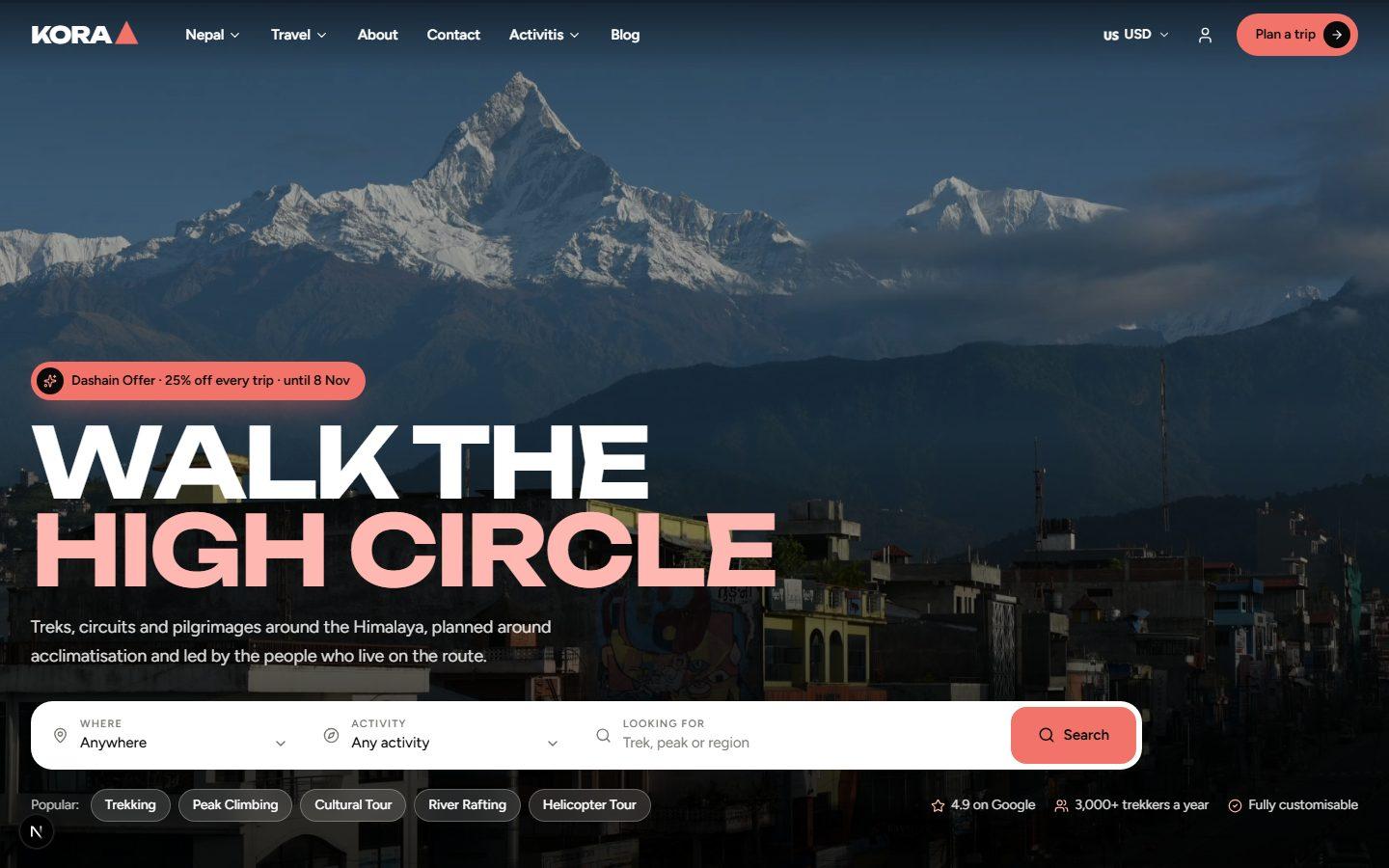
Strip away the design and a travel site has a few jobs. Kora Travel is built around exactly these:
- Trip packages with duration, difficulty, group size, best season and price per trip.
- A day-by-day itinerary for every trip — route, stay and highlights for each day — readable on a phone on the trail.
- Big, fast galleries. Full-width photos that zoom gently as you scroll, resized for each screen so they do not crawl.
- Booking requests with dates, group size and questions, sent straight to your inbox and WhatsApp.
- Search-ready trip pages. Every package is its own page with a clean title and a place in the sitemap, through the SEO toolkit.
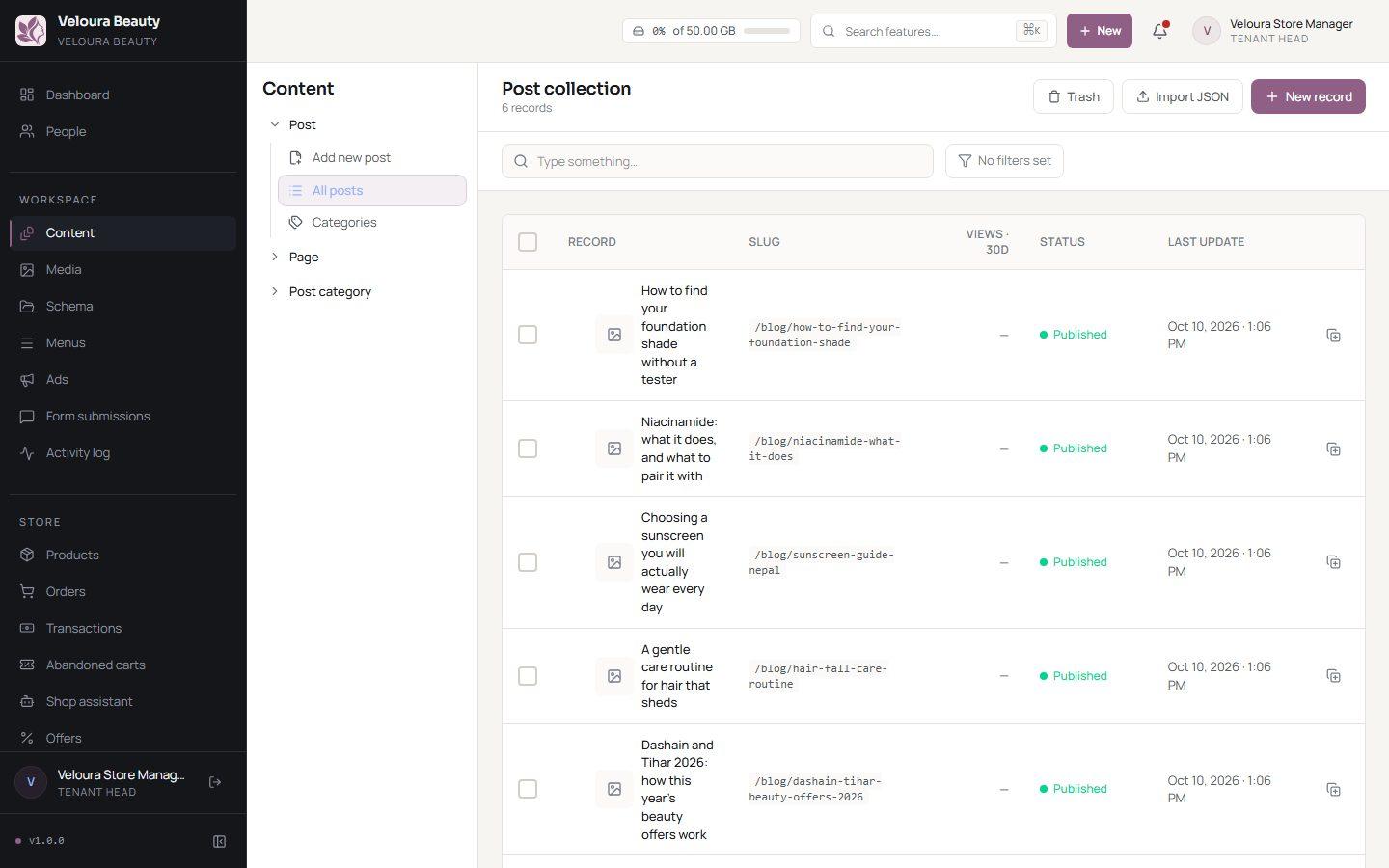
- A dashboard your team edits — new trips, new photos, a spring special — with the block page builder, no developer needed.
None of this is exotic. It is simply what travellers expect when they compare five agencies before they email one. The agency with clear itineraries, honest photos and a quick way to ask usually wins that email.
Booking enquiries: the part that earns the money
A travel website does not sell from a cart. It sells a date. A group of four from Germany wants Annapurna Base Camp in late October. You need their dates, their group size and their questions, all in one message, so you can reply with a proper quote the same day.
That is what booking enquiries do. The traveller picks a package, fills in the details, and you are alerted by email and WhatsApp. Leads arrive complete, not as one-word messages. The engine underneath also supports quotes, deposits and add-ons, so you can take a deposit online later. Most agencies start with requests only and switch payments on once they trust the flow.
For guests abroad, Next CMS already supports card payments through Stripe, alongside eSewa and Khalti for Nepali customers. Read how wallet payments work if you plan to take deposits from domestic tourists.
Template vs ready-built product vs fully custom
There are really three ways to get a travel website. Here they are side by side, without the sales talk:
- A cheap template — fastest and lowest cost to start. You get a look, then add plugins for itineraries and bookings. Good for a small operator with a few trips. Risk: slow pages, plugin clashes, and features that almost fit.
- A ready-built product like Kora — the travel features already work and are already tested: packages, itineraries, galleries, requests, SEO and a dashboard. The work becomes your trips, your photos and your brand. Good for agencies that sell many trips and live on enquiries.
- Fully custom, from zero — everything designed and built just for you. Right for unusual needs, like a booking engine tied to your own fleet of jeeps. Risk: the longest timeline, and every basic piece — login, image upload, sitemap — is rebuilt and paid for again.
A ready-built product sits in the middle. Kora runs on the same CMS as every other site I build, with a Next.js front end. If you want the technical reasons that matters for speed, read why Next.js suits a travel website.
Checklist: what a good travel template must have
Whether you buy a theme or hire someone, hold it to this list:
- A real itinerary field for each day, not a text box or a PDF upload.
- Trip facts as proper fields — duration, difficulty, group size, season — so they can be shown and sorted.
- An enquiry form that asks for dates, group size and the trip name automatically.
- Alerts to your phone, not just an inbox you check twice a day.
- Photos resized for each screen, so a trip page loads on mobile data.
- A title, description and sitemap entry for every trip.
- An editor your staff can use without breaking the layout.
- A way to export your trips and content if you ever move.
A mini case story: a Pokhara trekking agency
Picture a small agency in Lakeside with twelve treks. Their old site was a theme with the itineraries as PDFs and a contact form. Every morning brought messages like "how much for Poon Hill?" with no dates. Half went unanswered for a day because nobody checked the inbox.
On Kora, each trek became its own page: the day-by-day plan, the difficulty, the best season and a gallery of their own photos. The enquiry at the bottom asks for dates and group size, and the owner's phone buzzes with every request. When they add a new Mardi Himal route for spring, they do it from the dashboard in an afternoon. If you run a trekking company, read the longer guide on what a trekking company website in Nepal needs.
Common mistakes when choosing a travel website
- Buying for the demo photo. The mountain is not yours; your own photos decide how the site really looks.
- Hiding the itinerary. Travellers decide on the day-by-day plan. Put it on the page.
- Stacking plugins. Each one added for a single small job makes the next update riskier.
- Ignoring Google. A trip that is not its own page cannot be found for its own name.
- No one owns the inbox. A lead answered the next day is often already booked elsewhere.
Questions to ask before you buy a template or hire a developer
- Where does the day-by-day itinerary go, and can my staff edit each day?
- What does the enquiry form collect, and where does it send the request?
- How many plugins does this need, and who updates them?
- Can I see a real agency site on this, on my phone?
- Can I take deposits later, from tourists abroad and from Nepali guests?
- Who owns the content, and can I export it? (See what a CMS is.)
- What will it cost to run each year? (See what a website costs in Nepal.)
Not sure which way to go? Send me your list of trips and how bookings come in today. If a simple theme fits your agency, I will say so plainly.