Guide · 8 min read · · by Arjun Jhukal
A Next.js travel website: why a fast site wins more trip enquiries
Travellers compare several agencies on a phone before they write to one. Here is how a fast, pre-built travel website helps you be the one they write to.
A traveller in Melbourne is planning three weeks in Nepal. She opens five agency websites on her phone, on hotel Wi-Fi, between other things. Two take so long to load that she closes them. One hides the itinerary in a PDF. One shows a lovely photo but no dates. The fifth loads at once, shows the trip day by day, and has a short form at the bottom. That is the agency that gets her email.
This guide explains why the fifth site is fast, what Next.js has to do with it, and what a travel agency owner should ask for. You do not need to be technical. Where a technical word is useful, it is explained in plain words first.
What is Next.js, in plain words?
Next.js is a tool developers use to build websites. It is built on React, the same technology behind many large websites and apps. You will never see it or touch it. What you will notice is what it does for your visitors: pages that open quickly, look right on a phone, and are easy for Google to read.
The main trick is simple. Most of your pages are pre-built. Instead of making the page from scratch every time someone visits, the website prepares it in advance, like a hotel kitchen that has the dal ready before guests sit down. When a visitor arrives, the finished page is handed over straight away.
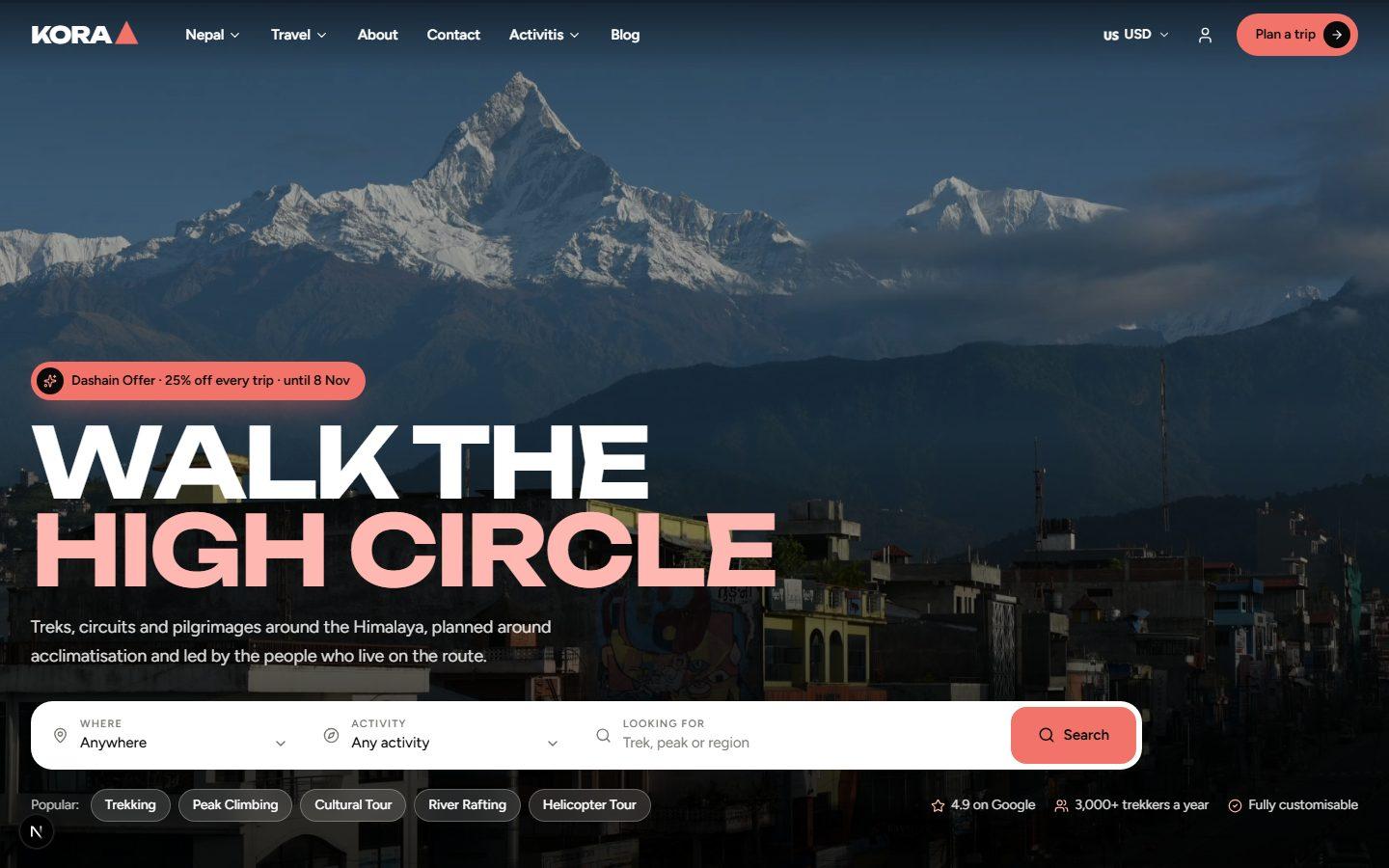
Every site I build has a Next.js front end, the part visitors see, on top of React. That includes Kora Travel, the travel and trekking website this guide uses as its example.
Why speed matters so much for travel
Speed matters for every business, but travel feels it more. Here is why:
- Your visitors are far away. Many of your best customers are in Europe, America or Australia. The page has to travel a long way to reach them.
- They compare before they write. Nobody books a trek from the first site they open. A slow site is simply skipped in the comparison.
- They browse on phones. Often on hotel Wi-Fi, a train, or a weak connection in Pokhara the day before a trip.
- Travel pages are heavy. Big photos are what sell a trip, and big photos are what make careless sites slow.
A fast site does not win the booking by itself. Good trips, honest prices and quick replies do that. But a slow site can lose the booking before the traveller has even seen your trips.
Pre-built pages: the trip page is ready before the traveller arrives
On a typical old-style travel site, each visit makes the server do work. It looks up the trip in the database, builds the page, then sends it. On a quiet day that is fine. During the spring season, when many people are browsing, it slows down.
On a Next.js travel website, each trip page is built ahead of time. When you change a trip in the dashboard, that page is refreshed, and then the same finished page is served to everyone. The visitor does not wait for the database. The server does not get tired in peak season.
Pre-built pages can also be copied to servers in many countries, so a visitor in London gets the page from a computer nearer to London rather than one in Kathmandu. Ask your developer where the site will be hosted. For Next.js sites I usually use Vercel, which works this way.
Core Web Vitals, explained without the jargon
You may hear developers mention Core Web Vitals. These are three simple checks Google uses to judge how a page feels to a real visitor:
- Does the main thing appear quickly? For a trip page, that is usually the big hero photo and the trip name.
- Does the page react when I tap? If someone taps "Send enquiry" and nothing happens for a moment, that counts against you.
- Does the page stay still while loading? You know the annoying jump when a photo loads late and pushes the button you were about to tap. Google measures that too.
Google says these checks are part of how it ranks pages. More importantly, they describe whether a visitor is having a good time or a bad one. A Next.js site, built carefully, gives you a strong starting point on all three. A theme with ten sliders and three chat widgets usually does not.
Open your current website on your own phone, using mobile data, not office Wi-Fi. Count how long before you can read the trip name and see the price. Then do the same with your two biggest competitors. That one test tells you more than any report.
Photos that sell without slowing the page
Travel websites live on photos: the sunrise from Poon Hill, prayer flags at a pass, a tea house at dusk. The problem is that a photo straight from a camera is far too big for a phone screen. Upload it as it is and the page crawls.
On sites built with Next CMS, every image is resized on the fly for each screen size. A phone receives a phone-sized photo. A large laptop receives a larger one. Your team uploads one good photo and the system does the rest. Kora's galleries use full-width photos that zoom gently as you scroll, and they still load quickly because of this.
Trip pages that Google can find
A traveller does not search for your agency's name. They search for the trip: "Everest base camp trek", "Annapurna circuit itinerary", "Nepal tour package 10 days". Each of those searches needs a page of its own on your site.
On Kora, every package is its own page with a clean web address, a proper title and description, and a place in the sitemap Google reads. That is the SEO toolkit at work: titles and descriptions for every page, sitemaps that update when you add a trip, structured data so results can show FAQs and breadcrumbs, and pings to Bing when new pages go live.
Pre-built pages help here too. Google receives the whole page, already filled in, instead of an empty frame that fills itself later. For a trekking business that lives on searches for trek names, I go deeper in the guide to trekking company websites in Nepal.
Booking enquiries, not just a contact form
A plain contact form gives you messages like "price?" with no dates and no group size. Then you spend three emails finding out what the person actually wants, and by then they have booked elsewhere.
Booking enquiries fix this. The visitor picks the trip, chooses dates, enters the number of people and asks their question. The lead arrives complete. You get it by email and as a WhatsApp alert on your phone, so a request from a different time zone does not wait until tomorrow.
- Prices can stay hidden. An empty price simply reads "On request", useful for custom expeditions.
- Deposits are possible later. The booking engine supports quotes, deposits and add-ons. Most agencies start with enquiries and switch payments on once they trust the flow.
- Cards for buyers abroad. Next CMS supports Stripe for card payments, alongside eSewa and Khalti for local customers.
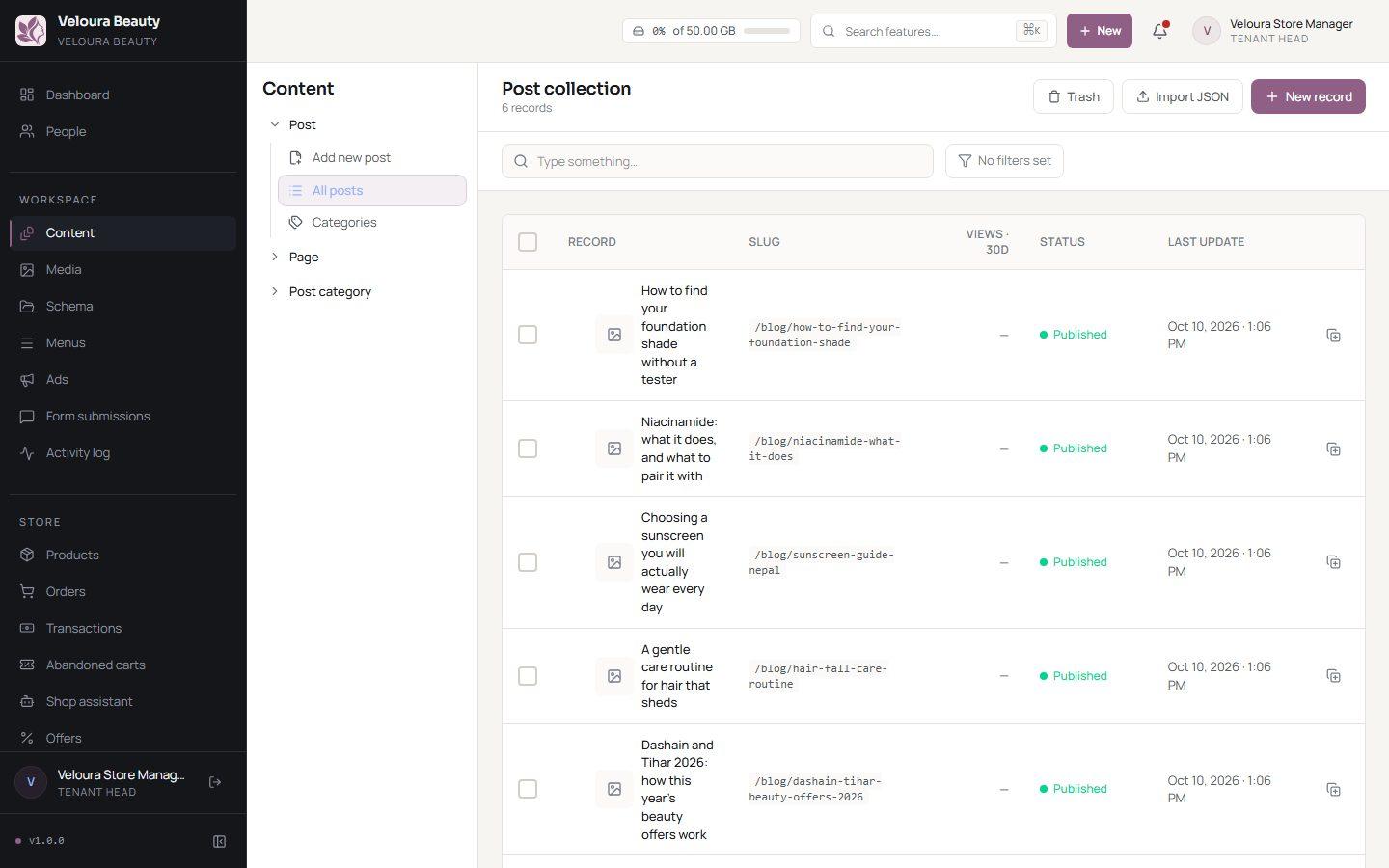
Your team edits trips without a developer
A fast site is no use if every change needs a developer. A new departure date, a new photo, a spring offer, a corrected tea house name. These happen every week in a travel business.
Kora runs on a headless setup. That word only means the back office where you edit is separate from the fast front end visitors see. Your team works in the dashboard; the public site refreshes the changed pages. Pages are stacked from ready-made blocks using the block page builder, and every day of every itinerary is a form field your staff can edit. If headless is new to you, read headless CMS explained in simple words, or start with what a CMS is.
A mini case story: Kora Travel
Kora Travel is a ready travel and trekking website. The homepage opens with a full-width photo and a trip search. Each trip, such as a compact Everest Khumbu valley trek, has its own page with duration, difficulty, group size, best season, a day-by-day itinerary, a gallery and a booking request at the end. There is a catalogue of all trips, and every page is designed to read well on a phone.
For an agency, the point is that none of this starts from zero. The trip pages, the itinerary layout, the enquiry flow and the SEO are already built and tested. The work becomes loading your trips, your photos and your brand. If you want to see what a ready base looks like before deciding, read the travel website template guide.
Is Next.js always the right choice for a travel site?
No, and it is worth being honest about that. A small homestay with three pages and a phone number can do very well on WordPress, and I build WordPress sites too. The comparison is laid out in Next.js vs WordPress.
Next.js earns its place when you have many trips, many photos, visitors from abroad and a real need to be found for trip searches. That describes most trekking and tour operators with ambitions to grow. For a rough idea of what changes the price of a project, see what a website costs in Nepal.
Questions to ask a developer
- Are trip pages pre-built, or made fresh on every visit?
- Where is the site hosted, and how fast does it load for a visitor in Europe?
- Are photos resized automatically for phones?
- Does every trip get its own page, title and description, and is there a sitemap?
- Do enquiries arrive with dates and group size, and do they reach my WhatsApp?
- Can my staff change an itinerary day without calling you?
- Can I take deposits or card payments later without rebuilding the site?
Tell me how many trips you sell and where your travellers come from, and I will tell you honestly whether you need a Next.js site or something simpler.